
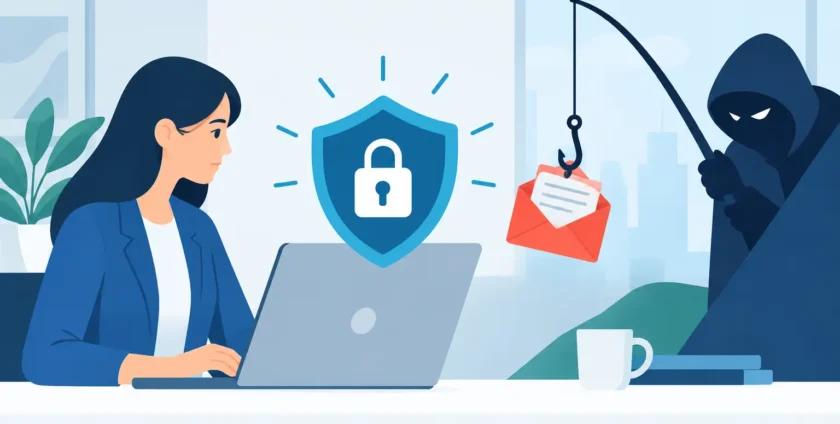
A phishing email does not need to look perfect to cause a costly disruption. It only needs to reach one busy person at the wrong moment: an accounts team member paying an invoice, a practice manager handling patient administration, or an employee resetting a Microsoft 365 password. The best ways to stop phishing combine trained people, sensible security controls and fast support when something does not look right.
For small and mid-sized businesses, phishing is not just an IT issue. A successful scam can interrupt trading, expose client or patient information, lock staff out of systems and create a long recovery process. The practical goal is to make suspicious messages harder to deliver, easier to recognise and less damaging if someone clicks.
Why phishing remains so effective
Phishing works because it targets normal business routines. A message may appear to come from a supplier, bank, senior manager, software provider or courier. It may ask someone to review a shared document, pay an overdue invoice, scan a QR code or sign in again because their account is supposedly about to be disabled.
Modern scams are often well written and use familiar branding. Some attackers research a business before sending an email, using names, job titles and supplier relationships found online. Others compromise a genuine email account and send believable messages from it. That means spelling mistakes are no longer a reliable warning sign.
Healthcare providers face extra pressure. A convincing email relating to appointments, pathology, referrals or clinical software can arrive during a busy day, when staff need to act quickly. The same is true for any business where a delayed response affects customers, cash flow or operations.
Best ways to stop phishing before it reaches staff
Phishing protection is strongest when several controls work together. No email filter catches every threat, and no employee will spot every suspicious message. The right approach reduces risk at each step rather than relying on one defence.
Secure Microsoft 365 email properly
Many businesses use Microsoft 365 for email, files and collaboration. It is reliable, but it still needs to be configured and managed with security in mind. Strong email filtering can quarantine known malicious senders, suspicious attachments and impersonation attempts before they reach inboxes.
Settings should also be reviewed for external forwarding, risky mailbox rules and fake display names. Attackers who gain access to an account commonly create hidden forwarding rules so they can monitor conversations and identify payment opportunities. Regular checks help catch this activity early.
Email authentication settings, including SPF, DKIM and DMARC, are another useful layer. They help receiving mail systems verify whether a message claiming to come from your domain is legitimate. They will not stop criminals impersonating every outside supplier, but they make it harder for others to misuse your business name.
Require multi-factor authentication
A stolen password should not be enough for an attacker to enter an account. Multi-factor authentication, or MFA, asks for another proof of identity, such as an authenticator app approval or security key. It is one of the most effective ways to reduce the impact of password theft.
Not all MFA methods offer the same protection. Authenticator apps and security keys are generally stronger than text-message codes, which can be vulnerable to mobile number takeover. For businesses with higher risk, consider phishing-resistant sign-in methods and conditional access policies that flag unusual locations, devices or login attempts.
MFA can create a little extra effort for staff, particularly when setting up a new phone. That short inconvenience is far less disruptive than recovering a compromised email account or dealing with fraudulent payments.
Keep devices and software updated
Phishing emails often aim to deliver malicious files or direct staff to harmful websites. Keeping operating systems, browsers, office software and security tools updated closes weaknesses that criminals may exploit after a click.
This should include managed antivirus or endpoint protection on desktops, laptops and supported mobile devices. Central management matters because it gives the business visibility into whether devices are protected, updated and responding to threats. It also makes it easier to isolate a device quickly if malware is detected.
Limit access and protect critical accounts
Staff should have access to the systems and information they need, but not more than they need. Limiting administrator privileges reduces what an attacker can do if they take over an employee account. Separate administrator accounts should be used for IT tasks rather than everyday email and web browsing.
Finance, payroll and Microsoft 365 administrator accounts deserve additional controls. Stronger MFA, tighter login policies and regular reviews of account permissions are sensible safeguards. For medical practices, access to patient systems should be managed carefully as part of broader privacy and operational requirements.
Help staff recognise a phishing attempt
Technology filters a great deal of malicious email, but people still make the final call on many messages. Training is most useful when it reflects the situations your staff actually face instead of treating phishing as an annual compliance task.
Ask employees to pause when an email creates urgency, requests a payment change, asks them to sign in, or arrives unexpectedly with a link or attachment. They should check the sender’s full email address, not just the display name. A message that says it is from a supplier may come from an unrelated address with one subtle character changed.
Staff should also be cautious with QR codes in emails and printed notices. QR phishing, sometimes called quishing, sends users to a login page on their mobile where the real web address is less obvious. If a message asks for a sign-in, staff should open the usual site or application directly rather than following the QR code or link.
A clear reporting process is essential. Employees need to know who to contact and feel comfortable reporting a message even if they are unsure. A culture of blame makes people hide mistakes. A prompt report lets IT block similar messages, investigate affected accounts and reduce the chance that one click becomes a wider incident.
Put payment checks outside email
Business email compromise is one of the most expensive forms of phishing. The attacker may impersonate a director, supplier or client and request a payment, change bank details or ask for sensitive documents. These messages can look completely legitimate, especially when criminals have accessed a real email thread.
The answer is a simple process that does not depend on email alone. Any change to supplier bank details, urgent payment request or unusual transfer should be confirmed through a known phone number or established contact method. Do not use the number contained in the suspicious email.
For larger payments, use a two-person approval process. It may slow down an exceptional transaction by a few minutes, but it creates a valuable check when urgency is being used as pressure. This process should apply equally to requests that appear to come from senior leaders.
Have a response plan for a clicked link
Even well-trained teams can be caught by a convincing scam. What matters next is speed. Staff should know to report the incident immediately, especially if they entered a password, approved an MFA prompt, downloaded a file or sent information.
A practical response may include resetting passwords, revoking active sessions, reviewing mailbox rules, checking sign-in activity, scanning the device and warning other staff about the same message. If payment information was involved, contact the bank without delay. If personal or health information may have been exposed, the incident may also require privacy and legal assessment.
Backups remain important because some phishing campaigns lead to ransomware. Backups should be tested, protected from routine network access and reviewed as part of a business continuity plan. A backup that cannot be restored quickly does little to reduce downtime.
When managed IT support makes the difference
Most businesses do not have someone available all day to monitor suspicious logins, review email settings and investigate reports from staff. That is where managed IT support can provide practical value. Ongoing monitoring, Microsoft 365 administration, endpoint protection and responsive helpdesk support create a more consistent security baseline than ad hoc fixes after an incident.
For Melbourne businesses and medical practices, Onsite Technology Solutions can help put these controls in place and provide remote or on-site assistance when an issue needs attention. The aim is not to make security complicated. It is to keep your people productive while reducing the openings scammers rely on.
A useful next step is to choose one recent email your team nearly trusted and ask why it looked convincing. That single discussion often reveals the most worthwhile improvement to make this week.
- By:
- Category: Uncategorized
- 0 comment