
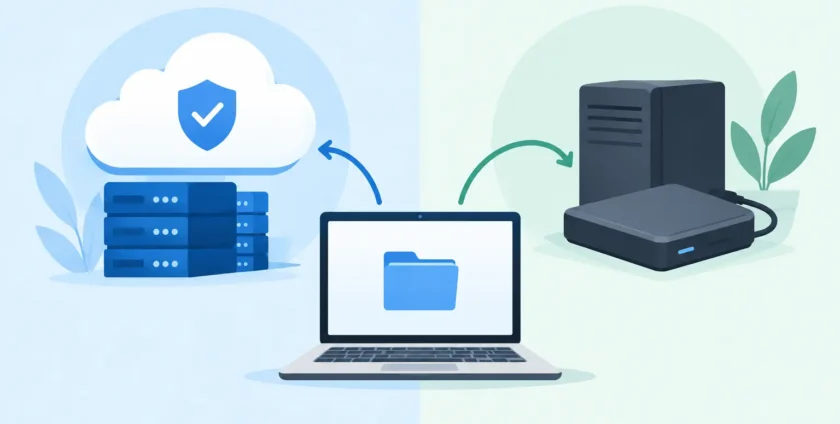
A failed server at 10:15 am, an accidentally deleted client folder, or a ransomware alert can bring a productive office to a halt fast. When comparing cloud backup versus local backup, the question is not which option is universally better. It is whether your business can restore the right data, quickly enough, when it matters.
For many Melbourne businesses, the most dependable answer is not cloud or local. It is a properly managed combination of both. Each protects against different risks, and each has limits that need to be understood before an incident puts them to the test.
What is local backup?
Local backup means copying business data to hardware you control at or near your workplace. This may be a network attached storage device, a backup server, an external hard drive, or a dedicated appliance in the comms cabinet.
Its main advantage is speed. Because the backup is held on your local network, restoring a large volume of data does not depend on your internet connection. If a staff member deletes a shared folder or a workstation fails, local recovery can often get that information back quickly. For a business working with large files, such as medical imaging, design files, databases or video, that speed can make a major difference to downtime.
Local backup also gives you direct control over the equipment and where data is stored. However, that control comes with responsibility. The device must be monitored, secured, patched where appropriate, and checked to make sure backups are completing successfully.
What is cloud backup?
Cloud backup sends an encrypted copy of your data to secure off-site data centres through your internet connection. Depending on the service, it can protect servers, workstations, Microsoft 365 data, mobile devices and selected business applications.
The critical benefit is geographic separation. A fire, flood, theft or electrical event in your office may damage the server and the local backup device at the same time. An off-site cloud copy is designed to remain available even when the workplace is not.
Cloud backup can also make it easier to support a business with staff working across multiple locations. Data does not need to be collected manually and taken off-site. Backups can run automatically, with alerts when an issue needs attention.
The trade-off is restoration speed. Recovering a few files from the cloud is usually straightforward. Restoring a full server or several terabytes of data can take much longer, especially if your internet connection has limited upload or download capacity. The provider’s recovery process, data size and service level all affect the result.
Cloud backup versus local backup: the differences that matter
Business owners should assess backup options based on recovery, not just storage. A backup that exists but cannot be restored promptly is little comfort during an outage.
Recovery speed
Local backup generally wins for large, urgent restores. A local appliance can restore large volumes of data over the office network without waiting for an internet transfer. This is particularly useful where every hour of downtime affects appointments, billing, production or customer service.
Cloud backup is often more than adequate for individual files, emails and smaller data sets. It may also support fast recovery through virtualisation or other recovery options, depending on the solution. But these capabilities should be confirmed, not assumed.
Protection from physical events
Cloud backup has the advantage here because the data is stored away from your premises. If the office is inaccessible, the server room is damaged or equipment is stolen, an off-site copy gives your business another path to recovery.
A local backup stored next to the production server may be vulnerable to the same event. Keeping an external drive in a desk drawer is not an off-site strategy. It is simply another device in the same risk zone.
Ransomware resilience
Ransomware does not only target live files. It can search for connected backup drives and network shares, then encrypt those as well. A useful backup strategy needs protected copies that cannot be changed or deleted by a compromised user account.
Cloud backup services can offer immutable or versioned backups, allowing data to be restored from a point before the attack. Local systems can provide similar protection when configured correctly, but they need careful access controls and separation from day-to-day user accounts.
For healthcare providers, this is especially important. A ransomware incident can interrupt appointments, clinical workflows and access to patient information. Backup design should support both business continuity and the protection of sensitive records.
Cost and ongoing management
Local backup usually involves an upfront cost for hardware, storage and setup. It may appear less expensive over time, but hardware eventually needs replacement and storage requirements grow. Someone must also monitor capacity, failed drives and backup reports.
Cloud backup commonly uses a monthly subscription model based on data volume, devices or protected workloads. This can make costs more predictable, although expenses can increase as the business adds users and data. It is worth checking whether restoration, retention periods and large data recovery are included in the service.
The lowest-cost option is not always the least expensive outcome. A backup plan that fails during an outage can cost far more in lost productivity, missed bookings, reputational damage and recovery work.
Internet dependency
Cloud backup depends on a reliable internet connection, particularly for the first full backup and major restores. Businesses with limited bandwidth may need to schedule backups outside business hours, prioritise critical systems, or use a hybrid approach.
Local backup is less dependent on the internet for recovery, which can be valuable during an ISP outage. However, it does not remove the need for off-site protection. It simply fills a different role.
Why a hybrid backup approach often makes sense
For most small to mid-sized businesses, a hybrid approach offers practical protection without making recovery more complicated. It combines fast local recovery with a separate cloud copy for disaster recovery.
This is closely aligned with the widely used 3-2-1 principle: keep at least three copies of important data, on two different types of storage, with one copy held off-site. The exact technology can vary, but the purpose is clear. A single failure should not be able to remove every copy of your business information.
For example, a medical practice may keep a local backup of its practice management system to recover quickly after a server issue, while maintaining encrypted cloud backups for off-site protection. A professional services firm may back up its file server locally, while also protecting Microsoft 365 mailboxes, SharePoint and OneDrive data separately in the cloud.
Microsoft 365 includes useful retention and recovery features, but it should not automatically be treated as a complete backup solution. Retention settings, deletion timelines and recovery requirements differ between businesses. If email, files and Teams data are important to daily operations, they should be included in your broader continuity plan.
Questions to ask before choosing a backup solution
A good backup discussion starts with your business requirements, not a storage quote. Consider how long you could operate without key systems, how much data you could afford to lose, and which applications need to come back first.
You should also ask where backups are stored, whether data is encrypted, how long different versions are retained, and who receives alerts when a backup fails. Confirm how long it would take to restore a single file, a workstation, a server and your full environment. These are different recovery scenarios and may have very different timeframes.
Finally, ask whether restores are tested. Scheduled backup jobs can look healthy while a recovery is incomplete, misconfigured or missing critical application data. Testing verifies that backups are genuinely usable and helps your team follow a clear recovery process under pressure.
Backup is part of business continuity
Backup is not a set-and-forget task. Your requirements change as staff numbers grow, new software is introduced, data volumes increase and teams begin working from different locations. A plan that suited a five-person office may not adequately protect a growing practice with cloud applications, remote staff and sensitive records.
Onsite Technology Solutions helps businesses assess what needs protection, configure appropriate local and cloud backup options, and monitor the systems that support recovery. The goal is practical: reduce downtime, protect critical information and give your team a clear path forward when technology does not go to plan.
The right backup strategy is the one that lets your business recover with confidence, whether the problem is one deleted file or an entire office outage.
- By:
- Category: Uncategorized
- 0 comment