
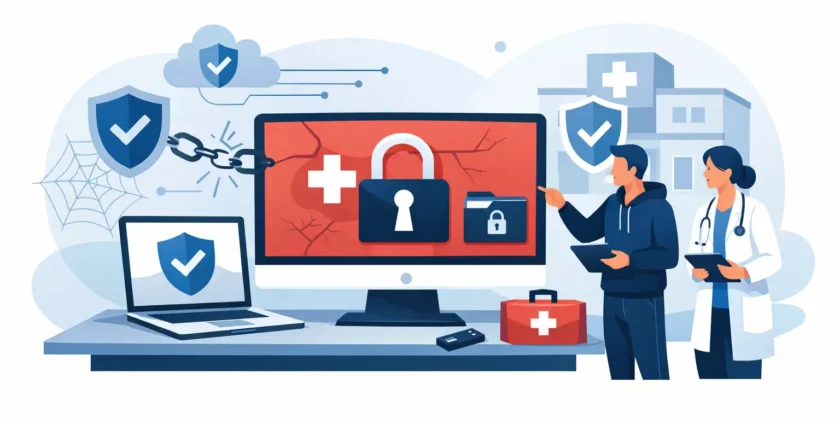
A busy Melbourne medical clinic opens at 8 am to find every reception screen displaying the same ransom note. Appointments cannot be confirmed, patient records will not open, and pathology results are unavailable. This medical clinic ransomware recovery example shows what a controlled response can look like when patient care, privacy and daily operations are all on the line.
The clinic in this example is fictional, but the situation is familiar. Ransomware does not only affect large hospitals. Smaller practices can be targeted because they rely on a mix of clinical software, Microsoft 365, shared files, imaging systems, online booking platforms and ageing workstations. One compromised account or device can interrupt all of it.
The difference between a difficult day and a serious operational crisis is usually not a single security product. It is the preparation behind the response: clear responsibilities, protected backups, access to responsive IT support, and a practical plan for seeing patients safely while systems are being restored.
What happened at the clinic
The first warning sign appeared when staff could not access the practice management system. A receptionist restarted her computer, assuming it was a local fault, but the problem quickly spread. Files on the shared server had unfamiliar names, several desktops were locked, and a message demanded payment in cryptocurrency.
The clinic manager did not ask staff to keep trying passwords or reboot every machine. Those well-meant actions can complicate an investigation and may allow an active infection to continue spreading. Instead, the manager followed the incident procedure: disconnect affected computers and the server from the network, keep them powered on where practical, and call their IT support provider.
Internet access was temporarily disabled for the clinic network. Staff moved to paper-based appointment notes, recorded essential clinical information under the practice’s downtime process, and used mobile phones for urgent contact with patients and providers. This was slower than normal, but it allowed the clinic to keep handling urgent care rather than closing its doors.
Medical clinic ransomware recovery example: the first four hours
The IT team’s first job was containment, not restoration. They identified which devices were encrypted, checked whether the attacker still had access through remote management tools or compromised email accounts, and isolated systems that were not yet affected.
This stage matters because restoring too early can reintroduce the ransomware. If an infected workstation reconnects to a freshly restored server, the clinic can lose valuable recovery time and potentially encrypt the data again.
The team also preserved evidence. They documented the ransom message, affected systems, user accounts, timestamps and suspected entry point. This information supports technical investigation and can be needed for cyber insurance, legal advice and privacy assessment.
At the same time, they reset passwords for administrative accounts and accounts showing suspicious activity. Multifactor authentication was enforced for email, remote access and cloud administration. Where possible, active sessions were signed out so a stolen login could not remain open in the background.
The clinic manager appointed one person to communicate with staff and another to manage patient-facing messages. That avoided mixed instructions at reception. Patients were told that some systems were temporarily unavailable, that urgent care was still being prioritised, and that the clinic would contact them if an appointment needed to change. Staff were reminded not to discuss the incident publicly or speculate about what data may have been accessed.
Finding a safe recovery point
By late morning, the IT team confirmed that the primary file server and several workstations had been encrypted. The cloud email environment had not been encrypted, but it had been accessed using a compromised staff account. The practice management database backup was available, but the most recent backup was only useful after it had been checked for signs of compromise.
This is where backup design makes a real difference. A backup is not automatically recoverable simply because it exists. It needs to be separated from the live network, protected from deletion or encryption, monitored for completion, and tested regularly. Ideally, a clinic has more than one copy in more than one location, including an offline or immutable copy that an attacker cannot easily alter.
In this example, the clinic had a clean backup from the previous evening and an additional protected copy from several days earlier. The team chose the newest verified clean recovery point. That meant a small amount of administrative data had to be re-entered later, but it avoided restoring potentially infected files.
There is a trade-off here. Restoring from an older, known-safe backup may create more catch-up work, while using the latest backup may carry greater risk if the attacker had been present for some time. The right decision depends on the evidence, the clinic’s backup history and the systems involved. It should be made with technical and, where needed, legal and insurance guidance rather than rushed under pressure.
Restoring systems without rushing the risk
The IT team did not simply put the old server back online. They built a clean environment, applied current security updates, installed endpoint protection and restored the verified database and essential files into that environment. Before reconnecting staff devices, each device was either rebuilt or thoroughly assessed to make sure it was safe.
The practice management system was restored first because it supported appointments, patient histories and billing. Next came document storage, printing, scanning and secure access to clinical correspondence. Less urgent systems, such as non-essential shared folders, were brought back later.
This order reflects a useful recovery principle: restore the services that let the practice care for patients and communicate safely before restoring every convenience. A clinic may be able to operate with limited printing for several hours. It cannot safely operate for long without reliable access to essential patient information and clinical workflows.
By the following morning, the clinic had access to its core clinical system, booking records and email. Over the next two days, staff reconciled paper notes, checked appointment changes and reviewed records created during downtime. The IT team continued monitoring for unusual sign-ins, suspicious file activity and attempted connections from removed devices.
Privacy, reporting and patient trust
A ransomware event is not always only an availability problem. Attackers may copy information before encrypting it, which can turn an outage into a potential privacy breach. A clinic should avoid assuming that data was not accessed simply because systems have been restored.
The practice in this example sought appropriate privacy and legal advice while the technical investigation continued. It assessed what information may have been involved, whether unauthorised access or disclosure was likely to result in serious harm, and whether obligations under the Notifiable Data Breaches scheme applied. Cyber insurers may also require particular steps, including use of approved incident response providers.
Clear communication is part of recovery. If notification is required, affected people need accurate, useful information about what happened, what information was involved, what the clinic has done, and practical steps they can take. Guesswork and premature reassurance can damage trust. So can silence when patients are entitled to know.
Changes the clinic made after recovery
The incident exposed a few gaps that were common rather than careless. Multifactor authentication had not been applied to every account. Some staff had more access than their role required. Backups were running, but restoration testing had not been scheduled often enough. The clinic also needed a clearer written downtime process for reception and clinicians.
After the recovery, the clinic introduced stronger identity controls, regular patching, managed endpoint protection and tighter access permissions. Staff received practical phishing training based on the types of emails they actually receive, such as invoices, referrals and password reset requests. The team also tested a recovery exercise so everyone understood who makes decisions, who speaks to patients and how core systems are restored.
For many practices, the most valuable improvement is having a named IT partner who understands the environment before an incident occurs. Onsite Technology Solutions supports medical clinics with local, hands-on IT management, helping practices plan for outages as well as respond when something goes wrong.
The practical lesson for practice managers
Ransomware recovery is not about finding a magic button or deciding whether to pay a ransom. Paying does not guarantee that data will be returned, that copied information will be deleted, or that the attacker will not strike again. A prepared clinic focuses first on containment, safe restoration, patient continuity and accurate advice.
Ask a simple question before the next busy morning: if your clinical system stopped working now, who would isolate the issue, verify your backups and help your team keep caring for patients? Having that answer documented, tested and supported can protect far more than a server. It gives your staff a calmer path through a difficult day.
- By:
- Category: Uncategorized
- 0 comment