
A staff member cannot access Microsoft 365 five minutes before a client meeting. The practice management system is slow during a busy morning. A suspicious email lands in a shared inbox. These are not abstract IT questions – they affect appointments, payroll, customer service and the ability to get through the day.
When comparing outsourced IT vs internal IT, the right choice is not simply about who fixes computers. It is about how your business gets reliable support, manages risk and keeps operating when technology fails. For many Melbourne businesses and healthcare practices, the answer is a support model that provides the right skills at the right time without carrying unnecessary overheads.
Outsourced IT vs internal IT: the key difference
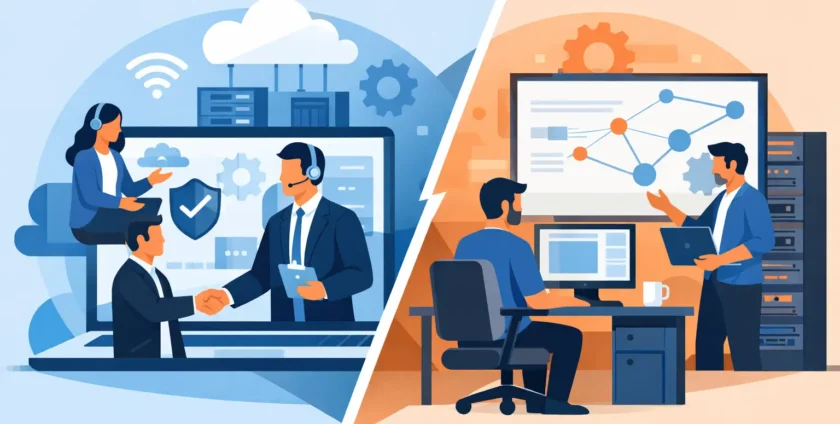
Internal IT means employing one or more team members to manage technology in-house. They may handle day-to-day support, user accounts, devices, software, servers, cybersecurity and projects. An internal team can become deeply familiar with how your people work and the systems that matter most.
Outsourced IT means engaging an external provider to manage some or all of those responsibilities. This can range from occasional ad hoc support to a fully managed service covering help desk requests, monitoring, backups, cybersecurity, Microsoft 365 administration and on-site assistance.
Neither model is automatically better. A large organisation with complex in-house systems may need dedicated internal specialists. A growing business with 15, 40 or 100 staff may find that an outsourced provider gives it broader expertise and more predictable costs. Many organisations use a hybrid approach, keeping an internal IT lead while outsourcing monitoring, security, projects or overflow support.
The real cost is more than a salary
An internal IT employee brings valuable knowledge, but the cost goes well beyond their wage. There are superannuation, leave, recruitment, training, tools, licences and the time required to cover absences. If one person is responsible for all IT, there is also a practical coverage problem: who responds when they are on leave, unwell or tied up with a major issue?
Outsourced IT is usually charged as a monthly managed service or on a ticket and project basis. That makes budgeting easier, particularly for businesses that need consistent support but do not need a full-time technician sitting onsite every day. A provider can also spread specialist capability across its client base, giving a smaller organisation access to skills that would be expensive to hire individually.
That said, outsourced support is not always the lowest-cost option. If your business has a large number of users, highly specialised applications or technology changes every week, an internal team may be better placed to provide constant hands-on attention. The useful question is not, “What is cheaper?” It is, “What level of support, coverage and expertise are we paying for?”
Response time matters when work stops
Internal IT can be highly responsive when the right person is available. They are already part of the business, know the people involved and can walk directly to a workstation or meeting room. This is particularly useful in environments where staff need frequent physical assistance.
The limitation is capacity. A single internal technician can only work on one urgent problem at a time. A ransomware alert, internet outage and new staff onboarding can quickly create a queue, even for a capable employee.
A managed IT provider should offer a structured support process with remote assistance for fast fixes and on-site service when the issue requires it. The best arrangement sets expectations clearly: how requests are logged, which incidents are treated as urgent, who communicates with staff and when a technician will attend if remote support is not enough.
For a medical practice, response is about more than convenience. If systems supporting appointments, clinical communications or secure access are unavailable, disruption can affect patient flow and staff workload. Providers with medical IT experience can understand the pressure of keeping a practice operational while working carefully around specialised systems.
Expertise and security are broader than one role
Technology now covers far more than desktop computers. Businesses may need help with mobile devices, cloud applications, Wi-Fi, backups, user access, Microsoft 365, cybersecurity, business continuity and vendor coordination. Finding one internal employee who is equally strong in every area is difficult.
An outsourced provider can give your business access to a wider team. One technician may resolve a day-to-day device issue, while security specialists review malware protection and backup arrangements. Another team member may assist with server work, cloud migrations or office moves. This breadth can be especially useful when your needs change quickly.
Security is where the difference often becomes clearer. A good internal IT person can build strong protections, but they need time to monitor alerts, apply updates, review access and test recovery procedures. When they are focused on urgent staff requests, preventative work can slip down the list.
Outsourced IT should make routine prevention part of the service. That includes patching, antivirus and malware protection, access management, backup monitoring and practical advice on reducing phishing risk. It should also include a plan for when prevention fails. A backup that has never been tested is not a business continuity strategy.
Control does not have to mean doing everything yourself
Some business owners worry that outsourcing means losing control of their systems. In reality, good IT support should give you more visibility, not less. You should know what equipment you have, who has access to key systems, how backups are handled, what is being monitored and what your priorities are for the next 12 months.
Internal teams often have strong informal knowledge, which is useful until that knowledge sits with one person. If documentation is limited and the employee leaves, the business can be left trying to piece together passwords, supplier details and network settings during an urgent problem.
With outsourced support, ownership and documentation need to be agreed upfront. Your business should retain ownership of its domains, cloud accounts, licences and key administrative access. The provider should document the environment, explain recommendations in plain language and give decision-makers clear options rather than technical jargon.
When internal IT makes sense
Internal IT is often a strong fit for larger organisations with enough ongoing work to support a dedicated team. It can also suit businesses with proprietary systems, sensitive operational processes or a high volume of onsite technology changes. An internal specialist may build valuable relationships across departments and provide immediate context when priorities shift.
The strongest internal IT setups still recognise that no team can cover every speciality at all times. They may outsource penetration testing, after-hours monitoring, cybersecurity expertise, disaster recovery planning or major projects. External support can strengthen an internal team rather than replace it.
When outsourced IT is the practical choice
Outsourced IT is often well suited to small and mid-sized businesses that need dependable support without recruiting a full IT department. It is also valuable for practices and offices where staff need quick help, systems need proactive care and managers want a single point of contact for technology issues.
It is a practical choice when downtime is costly but IT demand is uneven. One month may involve routine password resets and software support; the next may bring an office relocation, new staff, a security incident or a failed server. A managed provider can scale support around those needs while maintaining routine monitoring in the background.
Onsite Technology Solutions works in this model by providing remote and on-site assistance, along with management of the broader IT environment. The aim is straightforward: resolve issues quickly, reduce repeat problems and give your team someone local to call when technology gets in the way of work.
A hybrid model can offer the best balance
The choice does not need to be all or nothing. A business may keep an internal IT coordinator who understands staff needs and manages technology decisions, while an outsourced provider handles help desk tickets, monitoring and specialist work. Another organisation may use outsourced IT for everyday support but bring in an internal manager as it grows.
A hybrid arrangement works best when responsibilities are written down. Decide who owns user onboarding, security alerts, software purchasing, vendor communication, backup testing and after-hours incidents. Clear ownership prevents gaps and avoids the frustrating situation where staff are passed between internal and external teams.
Choose support based on your operating reality
Before choosing a model, look at the last six months of IT issues. How often did staff lose productive time? Which systems caused the most disruption? Did anyone test whether backups could restore critical files? Did important maintenance get delayed because urgent support took priority?
Those answers reveal more than a comparison of hourly rates. They show whether your business needs a full-time presence, specialist support, better preventative maintenance or simply a more reliable response when something goes wrong.
The right IT arrangement should make technology feel less like a daily risk and more like a dependable part of the business. Choose the model that gives your people clear support, protects the systems you rely on and leaves you free to focus on the work only your business can do.
- By:
- Category: Uncategorized
- 0 comment