
When a staff member cannot log in, email stops syncing, or a printer suddenly disappears from the network, the business problem is immediate. That is where the question what is remote IT support becomes practical, not theoretical. For many businesses, it is the fastest way to get systems working again without waiting for a technician to drive across town.
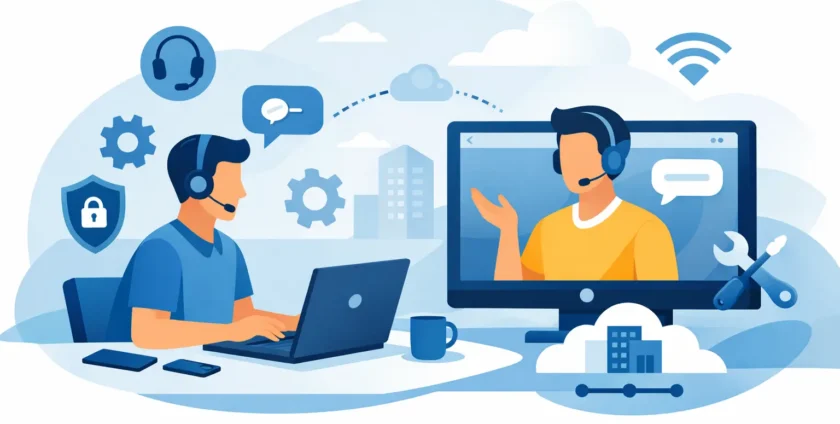
Remote IT support is technical help delivered from a different location using secure software, remote monitoring tools, phone support and help desk systems. Instead of being physically at your office, an IT technician connects to a device, server or cloud platform over the internet to diagnose faults, apply fixes, update settings and guide users through issues in real time.
For a busy office, medical clinic or growing business, that speed matters. If support can begin in minutes rather than hours, downtime is reduced, staff stay productive and small IT issues are less likely to turn into major interruptions.
What is remote IT support and how does it work?
At its simplest, remote IT support means an authorised technician accesses your systems without being on site. That might involve logging into a desktop to fix a software error, restarting a service on a server, helping a user reconnect to Microsoft 365, or checking security alerts from a managed dashboard.
The process usually starts with a support request. A user reports a problem, either by phone, email or ticket. The support team then investigates the issue using remote tools. In some cases, they can solve it in the background. In others, they request permission to connect to the affected device so they can see exactly what the user is seeing.
That remote session allows the technician to work much like they would if they were sitting at the desk. They can review settings, install patches, remove malware, troubleshoot applications and test whether the fix has worked. If the issue turns out to involve faulty hardware, cabling or something physically disconnected, the provider may then arrange an on-site visit.
This is why remote support works best as part of a broader IT service. It handles a large share of day-to-day problems quickly, while still leaving room for hands-on support when a physical presence is needed.
What remote IT support usually covers
Most businesses are surprised by how much can be handled remotely. It is not limited to password resets or basic help desk questions. A capable IT provider can remotely support desktops, laptops, mobile devices, cloud platforms, business applications, user accounts, servers and security systems.
Common examples include email issues, Microsoft 365 administration, software errors, printer and network troubleshooting, user onboarding, antivirus alerts, patching, backups, system monitoring and performance checks. Remote support is also widely used for proactive maintenance. Rather than waiting for someone to report a problem, the IT team can identify storage issues, failed backups or unusual activity early and act before users are affected.
For healthcare and other operationally sensitive environments, remote support can be especially valuable. If a practice management platform is slow, user access fails or a workstation stops connecting to shared records, fast response is essential. In those settings, the ability to begin troubleshooting straight away can make a real difference to continuity of care and daily workflow.
Why businesses choose remote support
The main reason is speed. A remote technician can often start work almost immediately, which is hard to match with a purely on-site model. That matters when every hour of disruption affects customer service, appointments, internal operations or revenue.
Cost is another factor. Remote support tends to be more efficient because technicians spend less time travelling and more time resolving issues. For small to mid-sized businesses that do not want the overhead of a full internal IT department, it offers access to experienced support without carrying full-time staffing costs.
It also gives businesses broader coverage. Problems do not always happen at the head office. Staff may be working from home, travelling, or using cloud systems from different locations. Remote support fits the way businesses now operate. It allows users to receive help wherever they are, provided they have an internet connection and the right access in place.
There is also a consistency benefit. With managed remote support, tickets, device health, updates and recurring issues can all be tracked centrally. That gives decision-makers better visibility into what is happening across the business instead of relying on ad hoc fixes.
Where remote IT support has limits
Remote support is highly effective, but it is not the answer to every issue. If a switch has failed, a hard drive has died, cabling is damaged or a workstation will not power on, someone usually needs to attend in person. The same applies to physical office moves, hardware installs and some network infrastructure work.
There can also be access limitations. If the internet is down entirely, remote support may be harder to deliver until some connectivity is restored. Security settings may also restrict access unless the right tools and permissions have already been established.
That is why businesses are usually best served by a provider that can deliver both remote and on-site support. Remote support handles the majority of urgent software and access issues quickly. On-site service fills the gap when hands-on technical work is unavoidable. It is not an either-or choice. In practice, the strongest support model combines both.
Is remote IT support secure?
For most businesses, this is the right question to ask. Allowing external access to systems should never be casual. Reputable providers use secure remote access platforms, user permissions, encrypted connections and session controls to protect your environment.
Good security also depends on process. Technicians should access systems through approved channels, log activity where appropriate and only connect to the systems they are authorised to support. Multi-factor authentication, device management and role-based access all help reduce risk.
If you work in a sector with tighter operational requirements, including healthcare, security and accountability matter even more. Support should be delivered in a way that protects sensitive information while still allowing fast resolution. In other words, convenience should not come at the cost of control.
What to look for in a remote IT support provider
Not all remote support is equal. Some providers simply wait for tickets and fix the obvious fault. Others take ownership of the wider environment so recurring problems, security gaps and ageing systems are not left to build up in the background.
A dependable provider should offer responsive help desk support, clear communication, proactive monitoring and the ability to escalate from remote work to on-site assistance when needed. Businesses also benefit from local knowledge. A Melbourne-based support team, for example, can provide the speed of remote assistance with the reassurance that someone local can attend if the job calls for it.
It is also worth looking at how the provider supports the whole business, not just individual devices. Can they manage Microsoft 365, backups, cybersecurity, servers, mobile devices and core business applications? Can they support specialised environments such as medical practices? The more complete the service, the less time your team spends juggling multiple vendors.
Onsite Technology Solutions works with this practical approach in mind. The goal is not just to log in remotely and close a ticket. It is to keep businesses operational with responsive support, local backup when on-site service is needed, and end-to-end management that reduces stress for owners and office managers.
When remote support makes the biggest difference
Remote IT support is most valuable in businesses where downtime has a direct operational cost. That includes offices relying on shared files, cloud platforms and communication tools, but it also includes medical and professional environments where delays quickly affect staff, appointments and client service.
It is particularly useful for businesses with lean internal resources. If no one in-house has time to troubleshoot user accounts, patch systems, monitor security alerts or chase software issues, remote support fills that gap without adding another full-time role.
It also helps during growth. As a business adds staff, devices, locations or cloud services, technical issues tend to multiply. A remote support model gives businesses a way to scale support without losing responsiveness.
The most practical way to think about remote IT support is this: it puts qualified technical help within reach the moment something goes wrong, and often before your team realises there is a problem at all. For businesses that need technology to simply work, that kind of support is not a nice extra. It is part of keeping the day running.
- By:
- Category: Uncategorized
- 0 comment