
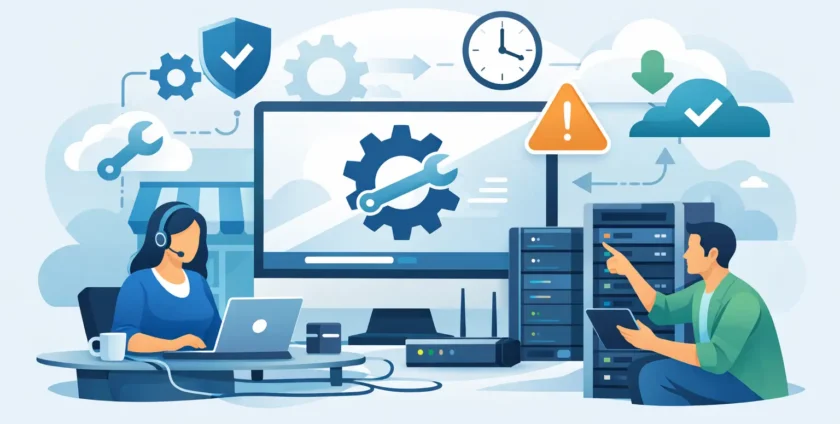
A staff member cannot access Microsoft 365. The practice software has stopped responding. A suspicious email has landed in three inboxes. For a small business, these are not minor technical issues – they can stop billing, appointments, customer service and everyday work. This small business IT support guide explains what dependable support should cover, how to assess your risks and when outsourced IT management makes practical sense.
Start with the cost of downtime
Most businesses do not need enterprise-level technology for its own sake. They need systems that work when staff arrive, stay available during the day and can be restored quickly when something goes wrong.
Downtime has a wider cost than a technician’s invoice. It can mean missed calls, delayed jobs, frustrated customers, lost records, overtime for staff and pressure on the person left trying to fix the issue. For medical practices, it may also disrupt appointments, access to patient information and clinical workflows.
The first question to ask is not, “What technology should we buy?” It is, “What would stop us from operating?” Write down the systems your team depends on every day: internet and Wi-Fi, computers, mobiles, email, Microsoft 365, files, accounting software, practice management software, printers, servers and cloud applications. This gives you a clear starting point for support and continuity planning.
What a small business IT support guide should cover
Good IT support is more than calling someone when a laptop fails. It combines day-to-day help with ongoing maintenance, security and planning. The right mix depends on your business size, how heavily you rely on technology and whether you have internal IT capability.
Responsive help for everyday issues
Staff need a simple way to get help with passwords, email, printers, access permissions, slow computers and software errors. Remote support resolves many issues quickly, without waiting for someone to travel to your office. However, remote assistance cannot solve everything.
On-site support remains valuable for network faults, hardware replacements, Wi-Fi coverage problems, server work and issues affecting multiple devices. A provider that can offer both gives you a more practical response when a problem needs hands-on attention.
Ask how requests are logged, who communicates with your staff and what response time you can expect. Same-day support can make a real difference when a problem is affecting operations.
Proactive maintenance, not just break-fix work
Break-fix support can suit a very small business with simple technology and limited reliance on systems. You pay when something fails. The trade-off is that problems may only be found after they have disrupted work, and costs can be unpredictable.
Managed IT support takes a more preventative approach. Devices, updates, backups, security tools and system health are monitored and maintained on an ongoing basis. It usually involves a regular monthly cost, but it can reduce avoidable outages and gives you a clearer view of your IT spending.
Neither model is automatically right. A business with a few devices and no sensitive data may use ad hoc support effectively. A growing business, professional office or medical practice is generally better served by planned management because the operational risk is higher.
Cybersecurity that works in the real world
Small businesses are regularly targeted because attackers know that staff are busy and defences may be limited. A convincing invoice, fake Microsoft 365 login page or compromised supplier email can be enough to cause a serious incident.
Practical protection starts with managed antivirus or endpoint security, timely software updates, multi-factor authentication and properly configured email filtering. Backups matter too, but they are not a substitute for security. A backup helps you recover after an incident; it does not stop an account being compromised or a fraudulent payment being sent.
Your people are part of the security plan. Staff should know how to report suspicious emails, verify unusual payment requests and avoid sharing passwords. Training does not need to be complicated. It needs to be regular, relevant and supported by clear internal procedures.
Backup and business continuity planning
A backup is only useful if you can restore from it. That means knowing what is backed up, where it is stored, how often it runs and how long recovery may take. Many businesses discover too late that a backup excluded a key application, was not monitored or could not be restored quickly enough.
Business continuity is the plan for keeping essential work moving during an outage. It might cover working from another location, using mobile internet if the main connection fails, accessing cloud files safely, contacting customers and restoring priority systems first.
For a healthcare provider, continuity planning should consider patient appointments, clinical systems, communication pathways and the need to protect sensitive information. The best plan is realistic for the practice, documented clearly and tested before it is needed.
Choosing the right IT support partner
Price matters, but the cheapest monthly figure is not always the lowest-cost option. Compare what is actually included: support hours, remote assistance, on-site visits, monitoring, security tools, Microsoft 365 administration, backup management and project work. Vague inclusions often lead to unexpected charges or unclear responsibilities.
A good provider should take ownership rather than send you between vendors. If your internet provider, software supplier and printer company all point to one another, your team loses time. An IT partner should investigate the issue, coordinate where needed and keep you informed in plain language.
Local presence also matters when on-site help is required. Melbourne-based technicians who understand the area can be especially helpful when a network outage, hardware fault or office move cannot be handled remotely. For medical organisations, look for a team that understands the pressures of maintaining access to essential systems while protecting patient information.
Before committing, ask these practical questions:
- How quickly do you respond to urgent and routine requests?
- Can you provide both remote and on-site support?
- What cybersecurity protections and backup checks are included?
- Who manages Microsoft 365 users, licences and access?
- What happens if a key system fails after hours?
- Will you document our devices, accounts, network and recovery process?
The answers should be specific. “We provide great support” is not a service model. Clear responsibilities, response expectations and regular communication are.
Build a support plan around your operations
IT support works best when it reflects how your business actually operates. A construction business with staff on the road has different needs from an accounting firm with sensitive client files. A medical clinic may need reliable workstations in consulting rooms, stable connectivity for clinical applications and carefully controlled access to patient data.
Start by identifying who approves IT decisions, who staff contact for urgent help and which systems are critical. Then set sensible standards for new devices, user access, passwords, software and backups. Standardisation reduces support time because technicians are not dealing with a different setup on every computer.
Review the plan as the business changes. New staff, office moves, acquisitions, new software and hybrid work arrangements all create IT requirements. Planning these changes before they happen is usually faster and less disruptive than trying to repair gaps afterwards.
For businesses that want one accountable team for daily support, cybersecurity, Microsoft 365, continuity and on-site assistance, Onsite Technology Solutions can provide a practical local point of contact. The aim is straightforward: keep your team productive and make technology one less operational concern.
The right IT support should feel visible when you need help and quietly effective the rest of the time. If your systems are repeatedly getting in the way of serving customers, it is time to treat IT as an operational service, not a last-minute repair job.
- By:
- Category: Uncategorized
- 0 comment