
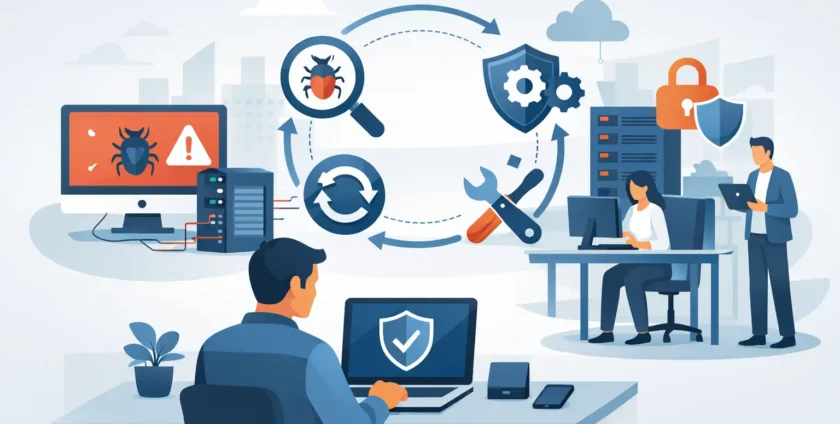
A staff member opens what looks like a supplier invoice, enters their Microsoft 365 details, and within minutes shared files begin changing names or becoming inaccessible. That is when malware recovery for office networks stops being an IT task and becomes a business continuity issue. Every extra minute can affect customer service, payroll, appointments, clinical records and the confidence of your team.
The right response is calm, fast and methodical. The goal is not simply to get computers switched back on. It is to contain the incident, remove the threat, restore trustworthy systems and make sure the same entry point cannot be used again.
1. Isolate affected devices immediately
If a computer is showing ransom notes, unusual pop-ups, inaccessible files, unexpected software, repeated password prompts or suspicious network activity, disconnect it from the network straight away. Unplug the network cable, turn off Wi-Fi and disconnect any external drives. Do not rush to shut the device down unless advised by your IT provider, as information in memory may help identify what happened.
The same applies to mobile devices, remote workers and shared folders. Malware can move across an office network quickly, particularly where staff have broad access to shared drives or use the same passwords across systems. Isolation limits its ability to spread while your IT team assesses the damage.
Avoid trying several fixes at once. Deleting a suspicious file or running an unapproved cleaner can remove useful evidence without removing the infection. It may also make restoration harder.
2. Confirm what has been affected
A proper assessment looks beyond the first computer that raised the alarm. Your IT provider should check workstations, servers, cloud accounts, email rules, shared storage, backup systems, firewall logs and administrator accounts. The visible problem may be only one part of the incident.
For example, ransomware may encrypt a file server but begin with a compromised email account. A fake Microsoft 365 login page may lead to mailbox forwarding rules that quietly copy sensitive messages elsewhere. In a medical practice, affected systems could include practice management software, imaging access, clinical documents and reception workstations.
This stage helps answer practical questions: Is the malware still active? Has information been accessed or copied? Which accounts need password resets? Can unaffected staff continue working safely? Clear answers allow management to make sensible decisions rather than relying on guesswork.
3. Protect accounts and access points
Once the immediate spread is contained, secure the accounts that could have been exposed. This usually means resetting passwords for affected users and privileged accounts, revoking active sign-ins, checking multi-factor authentication and reviewing email forwarding rules. Administrator credentials need particular attention because they can provide wide access to the network.
It is also worth checking remote access tools, VPN accounts, cloud storage permissions and any third-party applications connected to your business systems. The recovery effort can fail if an attacker still has a valid login or a hidden route back into the environment.
Password resets should be planned, not random. Resetting every password before understanding the compromise can disrupt operations and may not address the original access point. Your IT team should prioritise high-risk accounts first, then work through the wider business in a controlled order.
4. Remove the malware from the environment
Malware removal is not always as simple as running antivirus software. Some infections can hide in scheduled tasks, browser extensions, startup settings, remote tools or compromised user profiles. Others damage operating system files or security settings so thoroughly that a clean rebuild is safer than attempting a repair.
For a single isolated workstation, a thorough scan and remediation may be appropriate. For a device that handled administrator access, financial information or sensitive patient data, wiping and rebuilding from a known-good image is often the lower-risk choice. It takes more time upfront, but it provides greater confidence that the device is clean.
Servers require extra care. Before restoring anything, confirm the threat is gone and identify when the compromise began. Restoring an infected backup can put your office back at square one.
Malware Recovery for Office Networks Starts With Clean Backups
Backups are valuable only when they are separate from the affected environment, recent enough for business needs and tested regularly. A backup that has never been restored is a hopeful assumption, not a recovery plan.
Your IT provider should identify the last known clean backup and restore systems in an order that supports the business. Core network services, user identity systems, servers and critical applications typically come before individual workstations. A small office may be able to operate temporarily with cloud tools and a few clean devices. A larger business or healthcare provider may need a staged recovery that protects patient care and essential services.
There are trade-offs. Restoring from an older backup may mean losing recent work, while attempting to recover the latest data may increase the chance of bringing malware back. The best choice depends on the type of incident, the quality of available backups and the operational impact of lost data. This is why routine backup testing and documented recovery priorities matter before an incident occurs.
5. Bring systems back in a controlled order
Do not reconnect every device as soon as one system is working. Reintroduce clean devices gradually and monitor them for unusual activity. Start with the systems staff need most, such as email, internet access, line-of-business applications, shared files and printing.
Staff should receive clear instructions while this is happening. Let them know which services are available, whether they should use personal devices, how to report suspicious emails and when password changes are required. Straightforward communication reduces confusion and prevents well-meaning staff from reconnecting an old laptop or external drive that has not been checked.
For organisations handling sensitive information, management may also need advice on notification obligations, record keeping and communications with clients, suppliers or regulators. The technical response and the business response should work together.
6. Find the cause, not just the damage
A recovered network is not necessarily a protected network. Once operations are stable, investigate how the malware entered. Common causes include phishing emails, stolen passwords, unpatched software, exposed remote access, weak administrator controls and staff downloading unapproved programs.
The fix should match the cause. If phishing was involved, improve email filtering, multi-factor authentication and staff awareness. If an old server or application was exploited, patch or replace it. If too many users had administrator rights, review access permissions. If backups were reachable from the main network, separate them more effectively.
This is also a good time to review whether your security tools are being actively monitored. Antivirus alone may detect known threats, but it cannot replace patch management, secure access controls, reliable backups and prompt support when something looks wrong.
7. Turn the incident into a workable recovery plan
Every business should know who makes decisions during an outage, who contacts IT support, where emergency contact details are kept and which systems must be restored first. A short, practical plan is more useful than a lengthy document nobody can find during a crisis.
At a minimum, document your critical applications, key suppliers, backup locations, recovery priorities and staff communication process. Test the plan occasionally, including whether backups can be restored and whether staff know how to report a suspicious email. Businesses change over time, so review the plan when you add cloud services, relocate offices, open a new clinic or introduce new software.
Managed IT support can make this process far less stressful. With local technicians who understand your systems, recovery can move from an urgent series of phone calls to a coordinated response with clear ownership. Onsite Technology Solutions helps Melbourne businesses and healthcare providers contain threats, restore operations and put practical protections in place for next time.
The best time to plan for malware is before files disappear and phones start ringing. A tested backup, protected accounts and a clear support path give your team a far better chance of keeping the business moving when an incident occurs.
- By:
- Category: Uncategorized
- 0 comment