
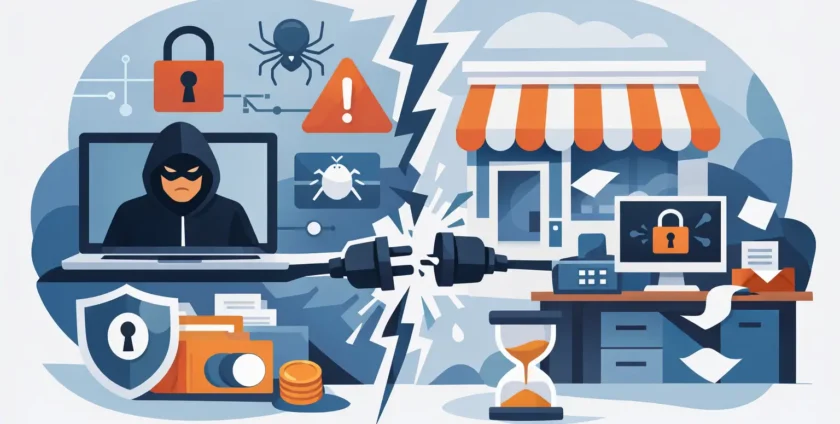
A ransomware incident rarely begins with every screen suddenly showing a ransom note. It often starts with one convincing email, a reused password, or a remote access service left exposed. By the time the warning appears, files may already be encrypted, copied, or both. Understanding how ransomware disrupts small business operations helps owners and managers make better decisions before a stressful morning becomes a costly shutdown.
For a small business, the disruption is not limited to the IT room. Staff cannot access customer records, invoices, rosters, job management software or email. Clients may be left waiting for answers. In a medical practice, clinicians can lose access to patient information and appointment systems at the worst possible time. The technical issue quickly becomes an operational, financial and reputational problem.
How ransomware disrupts small business operations
Ransomware is malicious software that blocks access to systems or data, usually by encrypting files, then demands payment for a decryption key. Modern attacks can be more damaging than the simple version many business owners picture. Criminals may first copy sensitive data, disable security tools, delete backups they can reach and then encrypt key systems. They may threaten to publish data if payment is not made.
The attacker does not need to compromise every device to cause real disruption. Encrypting a shared server, cloud file repository, practice management platform or administrator account can stop work across the business. A single compromised Microsoft 365 account can also be used to send convincing emails to staff, customers and suppliers, extending the impact beyond the original breach.
Work stops, even when computers still turn on
The clearest impact is downtime. A computer may appear to work normally, but the documents, applications and shared folders staff rely on are unavailable. Sales teams cannot prepare quotes. Accounts cannot issue invoices or process payments. Field staff may not have job details, site plans or customer contacts. Managers are left trying to coordinate work through personal mobiles and handwritten notes.
Downtime affects each business differently. A small professional services firm may be able to continue limited work for a day, while a healthcare provider or business with time-sensitive bookings may face immediate cancellations. The cost is not simply lost sales. It includes staff time, missed deadlines, emergency IT work, overtime, delayed cash flow and the effort needed to rebuild records once systems return.
Customer service and trust take a hit
Customers tend to notice an outage before they understand its cause. They see unanswered emails, delayed orders, unavailable portals or appointments that must be rescheduled. If the business holds personal, financial or health information, customers may also be concerned about whether their details were accessed.
Clear, accurate communication matters, but it is difficult when the facts are still being investigated. Saying too much too early can create confusion; saying too little can make clients feel ignored. A prepared incident response plan gives managers a way to communicate promptly without guessing, including who will contact customers, suppliers, insurers and staff.
Recovery can take longer than expected
Paying a ransom does not guarantee a quick return to work. There is no certainty that attackers will provide a working decryption tool, that all data can be restored, or that copied information will be deleted. Decrypting large volumes of data can be slow, and systems still need to be checked before they are trusted again.
Even organisations with backups can face delays if those backups were connected to the network and encrypted, deleted or corrupted during the attack. Recovery also requires time to identify the entry point, remove the attacker, reset credentials, rebuild affected devices and verify that critical applications work correctly. Restoring files without fixing the cause can lead to a second incident.
The pressure reaches beyond the business owner
Ransomware creates pressure throughout the team. Staff may worry they clicked the wrong link or reused a password. Managers may be making decisions with incomplete information. Customer-facing employees need answers while their usual tools are unavailable. In a small team, the same people handling the incident may also be trying to keep daily operations moving.
A calm, practical response is more useful than blame. Staff should know how to report suspicious emails and unusual device behaviour quickly. They should also know that reporting a mistake early is the right action. The sooner a potential compromise is raised, the better the chance of containing it.
The first hours after a ransomware attack
Speed matters, but rushed actions can make recovery harder. If a device displays a ransom message, files suddenly have strange names or shared folders become inaccessible, treat the event as a security incident rather than a normal IT fault.
The immediate priorities are to contain the issue, preserve evidence and keep people informed. Disconnect affected computers from the network and Wi-Fi where possible, but do not start deleting files or reinstalling devices before the incident has been assessed. If remote access is involved, disable it or restrict it urgently. A managed IT provider can help isolate affected systems, investigate the scope and begin safe recovery.
Four practical actions should be built into the response process:
- Record what has happened, including times, affected devices, error messages and unusual emails or logins.
- Contact your IT support provider and cyber insurance contact as soon as possible, if you have cover.
- Reset compromised passwords from a known-clean device, starting with administrator, email and cloud service accounts.
- Keep staff informed about approved workarounds and ask them not to reconnect devices or use personal storage without direction.
Depending on the circumstances, the incident may need to be reported to relevant authorities, regulators, affected individuals or contractual partners. This is particularly significant for organisations handling sensitive personal or health information. Specialist legal, insurance and incident response advice can help determine the appropriate notification steps.
Prevention is really business continuity
Ransomware protection is not one product or one annual staff reminder. It is a set of practical controls that make an attack less likely, reduce its spread and give the business a realistic path back to work. The right level of protection depends on your systems, the data you hold, your downtime tolerance and the resources available. A medical practice, for example, may need tighter controls and more frequent recovery testing than a small business with limited sensitive data.
Reliable backups are central to recovery, but only if they are separated from day-to-day systems and tested regularly. A backup that has never been restored is an assumption, not a recovery plan. Keep more than one copy of critical data, with at least one protected from normal network access. Test whether you can restore the files and applications your team needs first, not just a sample document.
Multi-factor authentication should protect email, cloud services, remote access and administrator accounts. It adds a second check beyond a password, which makes stolen credentials far less useful to an attacker. Password managers, unique passwords and prompt removal of former staff access also close common gaps.
Software updates matter because attackers often exploit known weaknesses in operating systems, applications, firewalls and remote access tools. Regular patching is not glamorous, but an unsupported or unpatched system can provide an easy way in. The same applies to antivirus and endpoint protection: these tools need active monitoring and correct configuration, not just installation.
Staff awareness completes the picture. Training should use the situations your team actually faces, such as fake invoices, Microsoft 365 login prompts, supplier payment changes and unusual requests from a director. Short, regular reminders are generally more effective than a single annual session. Staff should be encouraged to pause and verify unexpected requests, especially those involving money, passwords or sensitive information.
Build a recovery plan before you need it
A useful continuity plan identifies the systems that must return first and the acceptable amount of downtime for each. For one business, email and phones may be the first priority. For another, it may be point-of-sale, patient records, scheduling or a line-of-business application. This order helps IT support focus recovery effort where it protects operations most.
The plan should also include current contacts, alternative communication methods, key software and vendor details, backup locations and clear responsibilities. Keep a copy accessible outside the main network. If all company files are unavailable, a plan stored only on the affected server cannot help.
Onsite Technology Solutions helps Melbourne businesses put these measures into practical day-to-day use, combining responsive support with security, backup and continuity planning. The goal is not to make technology complicated. It is to reduce avoidable downtime and ensure there is a clear path forward when something goes wrong.
Ransomware may be unpredictable, but your response does not have to be. A tested backup, protected accounts, trained staff and a support partner who knows your environment can turn a potentially business-stopping event into a managed recovery.
- By:
- Category: Uncategorized
- 0 comment