
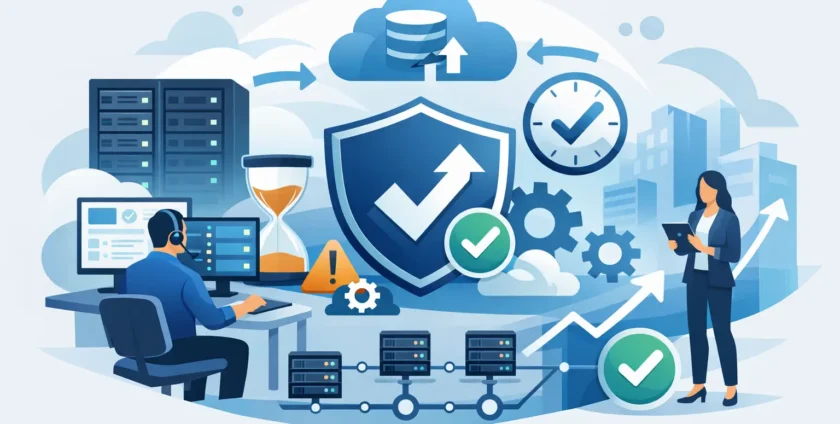
A server failure at 10:00 am is rarely just an IT problem. It can stop staff from accessing files, prevent invoices from being sent, delay appointments and leave customers waiting for answers. For a medical practice, it may also interrupt access to clinical systems when patients are due to be seen. That is how managed IT reduces downtime: by preventing common problems where possible and responding quickly when an issue cannot be avoided.
For small to mid-sized businesses, the goal is not to eliminate every technical fault. Hardware wears out, internet services can fail and cyber threats continue to change. The practical goal is to reduce the frequency, impact and duration of disruptions, with a clear plan for getting people back to work.
How managed IT reduces downtime before problems escalate
Many disruptions start as small, visible warnings that nobody has time to investigate. A server is running low on storage, backups have not completed, a device has missed critical updates or an employee reports that their computer has become unusually slow. Left alone, these issues can become an outage at the least convenient time.
Managed IT replaces the break-fix approach with ongoing attention. Instead of waiting for staff to report that something has stopped working, technicians monitor key systems, review alerts and address maintenance tasks before they affect the wider business. This can include servers, workstations, cloud services, Microsoft 365, antivirus tools and backup processes.
Proactive support does not mean every alert deserves urgent action. A capable provider sorts genuine risks from routine notifications, then prioritises work based on the impact on your operations. A failed backup or an expiring security certificate needs prompt attention. A minor software update can often be scheduled around your team’s working hours.
Regular maintenance keeps systems dependable
Updates are a common source of frustration because they can interrupt work, but delaying them indefinitely creates greater risk. Security patches close known weaknesses, while software and firmware updates can resolve performance and compatibility issues. Managed IT helps organise this work so it is applied in a controlled way rather than rushed after a problem occurs.
Maintenance also includes reviewing ageing hardware. A five-year-old workstation may still turn on each morning, but frequent freezing, long start-up times and failing components are warning signs. Replacing equipment on a planned schedule is generally less disruptive and easier to budget for than dealing with a sudden failure during a busy day.
Faster support shortens the interruption
When an outage happens, the speed of the response matters as much as the technical fix. Employees need to know who to contact, managers need clear updates and the business needs someone taking ownership rather than passing the issue between vendors.
A managed IT provider acts as a central support contact for day-to-day technology problems. Many issues can be resolved remotely, including password access, email faults, Microsoft 365 administration, printer connectivity and software errors. Remote assistance avoids the delay and cost of waiting for someone to travel to site for a problem that can be fixed quickly.
Some faults require a technician on site. A failed network switch, damaged cabling, server hardware issue or new equipment installation cannot always be handled from afar. For Melbourne businesses, local, hands-on support makes a real difference when physical access is needed. The right service model combines remote help for speed with on-site support when the job calls for it.
Same-day assistance can reduce disruption considerably, but response expectations should be discussed clearly. A locked-out user and a complete server outage should not be treated the same way. Good managed services use priorities and agreed response targets so critical incidents receive immediate attention, while lower-impact requests are handled in a sensible order.
Security support prevents avoidable outages
Cybersecurity is now a continuity issue, not just a compliance concern. A phishing email, malware infection or compromised Microsoft 365 account can stop operations just as effectively as a hardware failure. Ransomware can lock access to files, business applications and shared drives for days if there is no effective response plan.
Managed IT reduces this risk through layered protection. This may involve endpoint security, malware protection, email filtering, patch management, secure account settings and multi-factor authentication. Staff awareness matters too. People are busy, and a convincing email can look legitimate when it arrives at the wrong moment. Practical guidance helps staff identify suspicious requests before they become an incident.
No security tool can promise that an attack will never get through. The value of managed protection is that risks are monitored, suspicious activity is investigated and recovery steps are prepared in advance. That preparation can be the difference between a contained event and a lengthy business shutdown.
Backups only help when recovery works
A backup is not a business continuity plan on its own. Files must be backed up often enough for your needs, stored securely and tested to confirm they can be restored. If a business discovers during an outage that its backup is incomplete, inaccessible or several weeks old, the damage may already be done.
Managed IT services can monitor backup results and investigate failures before a restoration is needed. They can also help define recovery priorities. For example, a practice may need access to patient management software and internet connectivity before less critical archives. An accounting firm may prioritise its line-of-business application, email and current client files.
Recovery requirements depend on the business. Some organisations can tolerate a few hours without a system, while others cannot. Healthcare providers, businesses with appointment-based operations and teams working across multiple locations often need tighter recovery plans because delays affect both revenue and customer care.
Managed IT creates a clearer continuity plan
Downtime becomes more expensive when people are forced to make decisions in the middle of an outage. Who contacts the internet provider? Who has administrator access? Can staff work from another location? Which systems need to be restored first? A continuity plan answers these questions before pressure takes over.
This plan should cover realistic scenarios, including internet failure, lost or stolen devices, server faults, cyber incidents and loss of access to cloud accounts. It should identify key contacts, document essential systems and set practical workarounds. In some cases, a mobile connection or temporary device may keep a small team operating while a larger issue is resolved.
For medical organisations, continuity planning also needs to reflect the systems that support patient care and daily practice operations. The right approach balances availability, privacy and the need for staff to work efficiently. Generic IT advice is not always enough when specialist applications, shared workstations and sensitive information are involved.
One provider reduces delays and finger-pointing
A common cause of extended downtime is confusion over responsibility. An internet provider says the fault is with the router. A software vendor says the problem is with the network. A hardware supplier says the device needs a local technician. Meanwhile, staff are still unable to work.
With managed IT, one provider can coordinate the investigation across your technology environment. They understand how your devices, network, cloud services, security tools and applications fit together. That context reduces repeated explanations and helps identify whether the issue is isolated or part of a wider problem.
This does not mean one provider controls every external service or can instantly fix faults outside its control. It does mean you have a technical partner who can manage the process, communicate with third parties and keep you informed in plain language.
The right level of support depends on your risk
Managed IT should match the way your business operates. A small office with cloud-based applications may need strong remote support, security and Microsoft 365 management. A larger organisation with servers, several sites or specialised software may need more detailed monitoring, on-site coverage and documented recovery procedures.
The cheapest support arrangement is not always the most cost-effective if it leaves critical systems unmonitored or makes urgent help difficult to access. Equally, businesses should not pay for complex services they do not need. A practical assessment of your systems, risks and working hours gives you a better basis for choosing support.
At Onsite Technology Solutions, the focus is on keeping technology working through responsive remote and on-site support, proactive management and continuity planning that suits the business behind the screens. The most useful question to ask is not whether downtime will ever happen. It is whether your team will know exactly who is handling it, what happens next and how quickly they can get back to serving customers.
- By:
- Category: Uncategorized
- 0 comment