
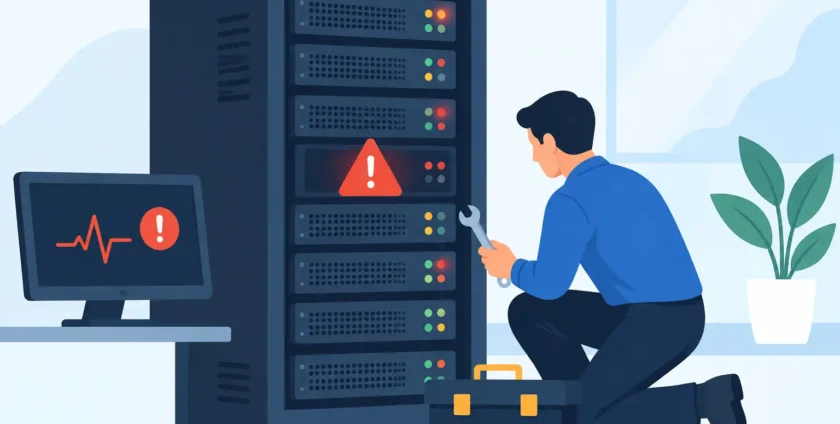
A server problem rarely starts with a complete outage. More often, it begins with a five-minute delay opening files, an application that needs restarting, or staff quietly working around a recurring issue. Knowing the top signs your server needs maintenance helps you act before those small disruptions become lost productivity, missed appointments or an expensive recovery job.
For a small business or busy medical practice, the server often supports the work no one can afford to stop: shared files, business applications, user access, backups, email services and specialised practice software. Regular maintenance is not about replacing equipment for the sake of it. It is about keeping the systems your team relies on secure, stable and ready for a normal working day.
Top Signs Your Server Needs Maintenance
1. Your team is dealing with slow performance
When folders take too long to open, applications lag, or staff wait for reports to load, the issue may be more than a frustrating internet connection. Servers can slow down when storage is nearly full, memory is under pressure, old processes are still running, or the hardware is no longer suited to the number of users and applications it supports.
A single slow computer can be a local device issue. But if several people experience the same delays, particularly when accessing shared systems, the server needs attention. In a medical setting, even a short delay in retrieving patient information can interrupt consultations and place extra pressure on reception staff.
Maintenance can identify whether the cause is capacity, configuration, updates or a failing component. The right fix depends on what is actually happening. Adding storage may help one business, while another may need application tuning or a plan to replace ageing hardware.
2. Storage space is running low
Servers need free capacity to run properly. When disks are close to full, updates can fail, temporary files cannot be created, backups may stop completing and applications may become unreliable. It is common for storage to fill gradually through old user profiles, duplicate files, unused software, email archives and backup data that has not been managed correctly.
If staff are receiving low-space warnings, or someone is regularly deleting files just to keep systems working, do not treat it as business as usual. A technician should review what is using the space before anything is removed. Deleting the wrong data can create a far bigger problem than a full disk.
A maintenance check should also confirm that future growth has been considered. A server with only a small amount of free capacity may be functioning today, but it leaves little room for busy periods, software updates or new staff.
3. Backups are failing or have not been tested
A backup is only useful if it completes successfully and can be restored when needed. Failed backup notifications, incomplete jobs and unusually long backup times are all clear warning signs. So is the absence of any reporting – if no one can confirm that backups are running, there is no reason to assume they are.
Many businesses discover gaps in their backup process after a hardware failure, ransomware incident or accidental deletion. By then, recovery options may be limited. Regular maintenance should check backup status, retention periods, storage availability and, crucially, whether selected files or systems can be restored.
Testing does not always mean restoring the entire server. A practical test might involve recovering a folder, a document or an application database to confirm the process works. For healthcare providers, backup planning should account for the systems needed to continue patient care and administrative work after an interruption.
4. Updates are being delayed repeatedly
Operating system, security and application updates often include fixes for known vulnerabilities. Delaying them indefinitely can expose your business to risks that are already understood by cyber criminals. At the same time, applying every update without planning can create compatibility issues, especially where older business or medical software is involved.
That is why server maintenance matters. Updates should be reviewed, scheduled outside critical hours where possible, and checked after installation. A managed approach reduces the temptation to ignore alerts until a problem becomes urgent.
If your server has not been patched in months, has reached end of support, or is running software that no longer receives security updates, it needs a maintenance review. The answer may be patching and monitoring, but it could also be a staged upgrade plan that avoids a rushed replacement later.
5. Staff are experiencing frequent dropouts or access issues
Repeated prompts for passwords, lost connections to shared drives, printers disappearing from the network and staff being unable to access key applications are not normal daily inconveniences. They may point to server service issues, network faults, user permission problems or underlying hardware trouble.
Patterns matter. If it happens at the same time each day, after a restart, or only when a certain application is in use, that information can speed up diagnosis. Encourage staff to report what they were doing when the problem occurred instead of simply restarting and moving on.
Maintenance gives your IT provider a chance to review system logs, network connections and user access settings before intermittent faults become a full outage. It also helps keep access aligned with current roles, particularly when staff have joined, changed duties or left the business.
6. The server is making unusual noises or restarting unexpectedly
Physical warning signs should never be ignored. Clicking drives, loud fans, overheating alerts, unexpected restarts and warning lights can indicate a component that is nearing failure. Servers are designed to run continuously, but they still depend on fans, power supplies, hard drives and cooling systems that wear over time.
An unexpected restart during the day can corrupt files or interrupt a database. If it happens more than once, arrange an assessment promptly. Do not keep restarting the server and hope the issue disappears.
A maintenance visit can include checking hardware health, cleaning dust from suitable equipment, reviewing temperature readings and identifying parts that should be replaced before they fail. There is a cost to proactive replacement, but it is usually far less disruptive than an emergency recovery after a failed drive or power supply.
7. Security alerts are increasing
Unfamiliar login attempts, disabled antivirus protection, unusual network activity or repeated phishing-related incidents deserve attention. A server may not be directly responsible for every alert, but it plays a central role in identity management, file access and the security of business data.
Ransomware can spread quickly where systems are unpatched, access permissions are too broad or backups are not properly protected. Maintenance should review antivirus and malware protection, administrator accounts, password policies, remote access settings and activity logs. For businesses handling sensitive client or patient information, these checks are part of protecting trust as well as operations.
Good maintenance does not mean promising that no cyber incident will occur. It means reducing avoidable risks, detecting concerns earlier and ensuring there is a clear response plan if something does happen.
When Maintenance Should Become a Priority
Some server tasks can be planned into a regular schedule. Others require immediate action. Treat recurring crashes, failed backups, security alerts, sudden slowness across multiple users and signs of hardware failure as priority issues. Waiting until a quieter time can be tempting, but an unplanned outage rarely arrives at a convenient moment.
For less urgent concerns, a scheduled review can assess server age, available capacity, software support dates and the business impact of a potential failure. This is particularly useful when a server is five or more years old, your team is growing, or you are adding cloud services and new applications to the environment.
Keep the Workday Moving
Server maintenance is not a one-off clean-up. It is ongoing care that keeps performance, security and recovery capabilities in step with the way your business works. Onsite Technology Solutions can provide practical remote and on-site support to investigate warning signs, maintain critical systems and help plan improvements without unnecessary disruption.
The best time to check a server is when it is still doing its job. A short review now can prevent your team from spending the next busy morning waiting for technology to catch up.
- By:
- Category: Uncategorized
- 0 comment