
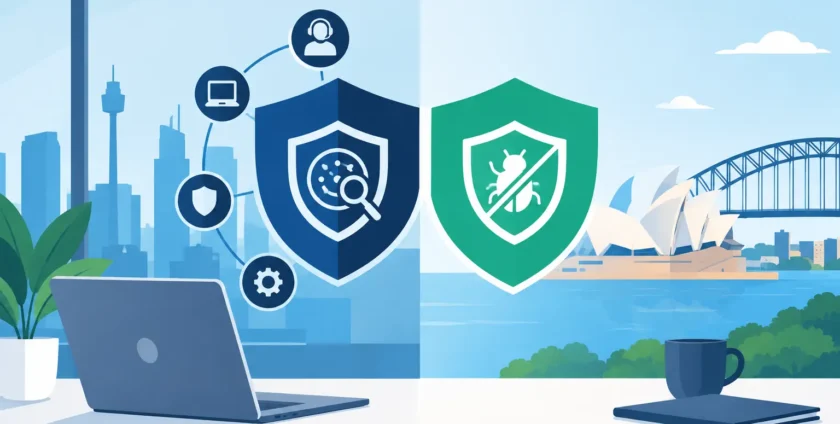
A malware alert at 10.30 pm is not just an IT problem. It can stop staff accessing files, delay patient appointments, interrupt invoicing and leave business owners wondering whether customer data is at risk. When comparing MDR versus antivirus, the real question is not which product has the better name. It is who is watching for threats, what happens when one is found, and how quickly your business can return to normal.
Antivirus remains a sensible starting point for every business device. But the threats facing small and mid-sized organisations have changed. Criminals increasingly use stolen passwords, convincing emails and legitimate tools to gain access without triggering the obvious warning signs traditional antivirus was built to catch.
What antivirus does well
Antivirus software scans devices for known malicious files, suspicious behaviour and common attack patterns. It can quarantine a harmful attachment, block a known ransomware strain or warn a user before they open a risky download. For desktops, laptops and servers, it is a vital first line of defence.
Modern business-grade antivirus is more capable than the basic programs many people remember. It may include web filtering, ransomware controls, device monitoring and automatic updates. Managed properly, it reduces the chance that everyday threats will disrupt work.
That matters because many incidents begin with simple mistakes. A staff member may click a fake invoice, use a compromised USB drive or download a file that looks legitimate. Antivirus can prevent many of these threats before they gain a foothold.
The limitation is that antivirus mainly works as a protective tool on the device. It does not necessarily provide a person or team to investigate every unusual login, examine a suspicious chain of activity, or contain a threat that has moved between systems. It can also be less effective against brand-new malware, fileless attacks and activity carried out using valid employee credentials.
MDR versus antivirus: the practical difference
MDR stands for Managed Detection and Response. It combines security technology with human monitoring and investigation. Rather than simply producing alerts, an MDR service looks for signs that an attacker may already be inside your environment and takes action based on the level of risk.
Think of antivirus as a security guard at each door, checking for known trouble. MDR is closer to having a security operations team reviewing camera footage, investigating unusual movement and responding when something does not look right. Both have a role. One is not a complete replacement for the other.
An MDR service commonly monitors endpoint activity, identity and login events, email signals, cloud services and network behaviour. The exact coverage depends on the provider and tools in place. When it detects suspicious activity, trained analysts validate whether it is a genuine threat rather than simply forwarding another technical alert to a busy office manager.
If the threat is real, the response may include isolating a compromised device, ending malicious processes, blocking indicators of compromise or escalating to your IT support team for further remediation. This response capability is the key distinction. Early detection has little value if nobody has clear responsibility for acting on it.
For a business without an internal security team, MDR fills a practical gap. It gives you access to specialised monitoring without needing to staff a round-the-clock security desk. It also helps reduce alert fatigue, where staff receive so many warnings that the important ones are missed.
Where antivirus can fall short
Antivirus is still necessary, but relying on it alone can create a false sense of security. A device may be protected against known malicious files while an attacker gains access through a stolen Microsoft 365 password. The attacker could read email, set up forwarding rules, request a fraudulent payment or search shared files without installing obvious malware.
Another example is a phishing email that leads staff to a realistic fake login page. Once the password is entered, the attacker may use it from another location and access systems as though they were an authorised user. Antivirus running on a workstation may not see enough to stop this activity.
Ransomware attacks can also involve several stages. Criminals may first explore the network, identify backups, disable security tools and collect data before encrypting files. Detecting those earlier behaviours can give your IT provider time to contain the incident before it becomes a full business outage.
Healthcare providers face additional pressure. A disruption to clinical software, imaging systems, appointment platforms or shared patient records affects more than office productivity. Practices need security controls that work alongside reliable support, continuity planning and careful management of specialised systems.
When antivirus may be enough
For a very small, low-risk environment with a handful of devices, no sensitive data and straightforward cloud use, well-managed antivirus may be a reasonable starting point. That does not mean installing a consumer product and forgetting about it. Devices still need patching, secure passwords, multi-factor authentication, backup checks and someone responsible for reviewing security warnings.
Antivirus can also be appropriate where budget is tight and the immediate priority is lifting a business from no formal protection to a sensible baseline. In that situation, start with business-grade endpoint protection and address the most significant gaps first.
However, the calculation changes as your organisation stores customer information, processes payments, manages medical records, supports remote staff or depends heavily on Microsoft 365 and shared cloud data. The cost of an undetected incident rises quickly when downtime affects operations, reputation and compliance obligations.
When MDR is the better fit
MDR is particularly valuable when your business needs more than software alerts. It suits organisations with multiple users and devices, remote or hybrid workers, sensitive information, higher uptime requirements or no internal team to investigate security events.
It is also worth considering after a near miss. If your team has received a suspicious login alert, a phishing report or a ransomware warning and nobody was certain what to do next, that is a sign the response process needs attention. Good security is not only about preventing incidents. It is about making fast, informed decisions when prevention does not work.
MDR does have trade-offs. It costs more than standalone antivirus, and its value depends on the quality of monitoring, the systems included and the provider’s response process. Some services only notify you of threats. Others can actively contain them. Before choosing a service, make sure you understand exactly what is monitored, who responds after hours and what actions can be taken without delay.
Choosing protection that matches your operations
The strongest approach is usually layered. Antivirus or endpoint protection helps block common threats. MDR adds visibility, investigation and response. Multi-factor authentication protects accounts, regular patching closes known weaknesses, and tested backups provide a recovery path if systems are affected.
Ask practical questions rather than focusing only on product names. Does the service monitor Microsoft 365 logins and email activity? Can a compromised device be isolated quickly? Will a real person investigate suspicious behaviour? Is there a clear escalation process for your business? Are backup restores tested, not just assumed to work?
For medical practices, also consider whether the provider understands the systems that keep the practice running. A security response should protect sensitive information without unnecessarily taking critical clinical tools offline. That takes planning, documentation and technicians who know your environment.
Onsite Technology Solutions helps Melbourne businesses assess these layers in the context of their actual operations, not a generic checklist. The aim is to reduce avoidable risk while keeping staff productive and support straightforward.
The right choice is the one that gives your business a clear path from detection to action. If an alert arrives while your team is serving customers or caring for patients, you should already know who is investigating it, who can contain it and how your business will keep moving.
- By:
- Category: Uncategorized
- 0 comment