
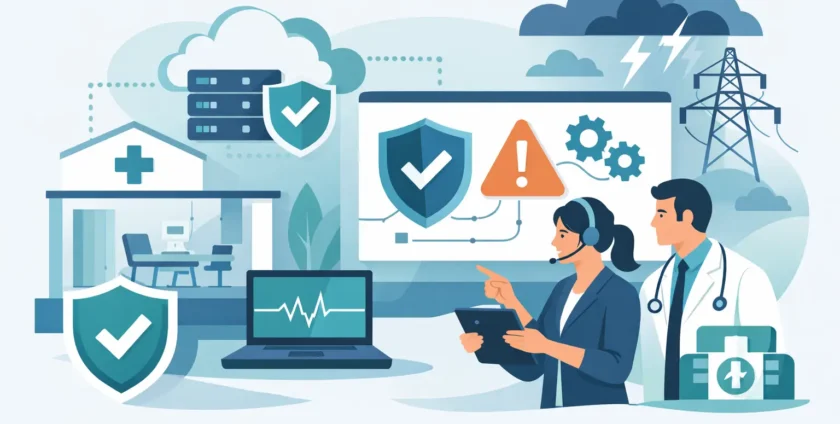
A practice outage rarely begins with a dramatic server failure. It often starts with a slow clinical application, an expired password, a missed software update or an internet service that drops out just as the waiting room fills. How medical practices prevent outages comes down to recognising these small risks early, then putting clear safeguards around the systems staff and patients rely on every day.
For a medical practice, downtime affects more than productivity. It can interrupt appointments, delay access to patient records, prevent e-prescribing, disrupt billing and leave reception unable to answer calls or process bookings. The priority is not simply to keep technology running. It is to protect continuity of care while giving staff a practical plan when something does go wrong.
An outage is usually a chain reaction
Most practices depend on a connected mix of clinical software, Microsoft 365, internet services, phones, printers, desktops, mobile devices, shared files and cloud applications. When one essential part fails, the effect can spread quickly. A lost internet connection may also affect cloud-based patient management, online booking, EFTPOS terminals and VoIP phones.
That is why prevention cannot sit with one device or one software provider. Practice managers need visibility across the full environment, including who is responsible for each system and what staff should do if it becomes unavailable.
A sensible approach starts by identifying the services that would stop the practice from operating. For some clinics, access to clinical records and e-prescribing is the immediate priority. For others, reliable phones and booking platforms matter just as much. The right level of investment depends on the practice’s size, patient volume, operating hours and tolerance for disruption.
How medical practices prevent outages before clinic opens
The best time to deal with an outage is well before the first patient arrives. Prevention is a routine process, not a one-off technology project completed after a major incident.
Keep an accurate picture of the IT environment
A current technology register gives a practice a starting point for prevention. It should record key devices, servers, network equipment, internet connections, software subscriptions, warranty dates and the people who manage them. It also needs to capture less obvious dependencies, such as the computer connected to an imaging device or the mobile used for multi-factor authentication.
Without this information, support becomes reactive. Staff may know that a system has failed, but not what connects to it, whether it is backed up or who can authorise a fix. With a clear record in place, maintenance can be planned and issues can be resolved faster.
Apply maintenance before it becomes an emergency
Unpatched operating systems, outdated applications and ageing hardware are common causes of avoidable downtime. Regular updates help close security gaps, but they also fix faults that can cause applications, devices and integrations to fail.
Updates should be scheduled around the practice’s needs rather than applied blindly in the middle of a busy day. A small clinic may prefer after-hours maintenance. A larger practice might phase updates across devices so that a problem on one computer does not affect the whole team.
Hardware needs the same attention. A workstation that crashes regularly, a full server drive or an old firewall nearing end of life should be addressed before it fails completely. Replacing equipment does involve cost, but unplanned replacement during a clinic-wide outage is usually more expensive and more disruptive.
Secure accounts as carefully as devices
A significant number of outages begin with a security incident. A compromised email account, ransomware infection or fraudulent password reset can lock staff out of critical systems and force the practice to pause operations while the problem is contained.
Strong, unique passwords and multi-factor authentication are basic safeguards for email, cloud applications and remote access. Access should also match each staff member’s role. Reception staff do not need administrative rights to every system, and former employees should lose access promptly when they leave.
Email filtering, malware protection and staff awareness training add another layer. Technology cannot stop every suspicious message, but staff who know how to report a questionable email quickly can prevent a single click becoming a practice-wide incident.
Backups must be tested, not just configured
Backups are essential, but a backup that cannot be restored is not a continuity plan. Medical practices should know exactly what is backed up, how often it runs, where the copies are stored and how long a full recovery would take.
A reliable arrangement generally keeps more than one copy of important data, with at least one copy protected from the main network. This matters if ransomware encrypts local files or a hardware failure affects the server storing the primary data.
Testing is the part many businesses miss. Restoring selected files is useful, but it does not prove that a clinical application, shared database or entire workstation can be recovered within an acceptable timeframe. Regular restore testing turns assumptions into evidence.
Cloud services also need consideration. A cloud platform may protect its own infrastructure, but that does not always mean it provides the version history, retention period or recovery options a practice expects. The responsibility for business continuity is often shared, so it is worth checking the detail rather than assuming data is fully protected.
Build resilience around internet, power and phones
A dependable internet connection is central to modern practice operations, yet it is outside the practice’s direct control. For clinics that rely heavily on cloud systems, a secondary connection such as mobile broadband or a second service can keep essential work moving during a carrier fault.
This is not necessary for every practice. A small clinic that can safely use temporary paper processes for a short period may choose a simpler arrangement. A busy multi-practitioner practice, however, may find that a backup connection is far less costly than cancelling appointments for half a day.
Power protection matters too. An uninterruptible power supply can provide short-term power to network equipment and allow servers to shut down safely during an outage. It will not run a practice indefinitely, but it can prevent equipment damage and avoid the extra recovery work that follows an abrupt shutdown.
Phone continuity deserves its own plan. If the primary phone system depends on internet access, establish how calls can be diverted to mobiles or an alternate service. Patients need a way to reach the practice, especially if appointments change at short notice.
Give staff a downtime process they can use
Even well-managed systems can fail. The difference between a short disruption and a chaotic day is often whether staff know what to do next.
A practical downtime procedure should be short, accessible and written in plain language. It should state who contacts IT support, how the team records appointments and clinical notes temporarily, how urgent patient matters are managed and how staff communicate with patients. A printed copy should be available because a digital-only plan is hard to access when systems are down.
The process also needs to account for privacy. Paper notes, printed schedules and temporary records must be stored securely and entered back into approved systems once service is restored. Staff should know who is responsible for checking that nothing is missed during that catch-up period.
Run through the process occasionally. A brief scenario discussion at a team meeting can reveal gaps, such as no current contact number for support or uncertainty about accessing emergency clinical information. It is much easier to clarify these details without patients waiting at the front desk.
Monitor issues and respond while they are small
Proactive monitoring helps identify warning signs before staff report a complete failure. Low disk space, failing backups, unusual login activity, unstable internet connections and devices going offline can all be investigated early.
This is where managed IT support can make a meaningful difference. Instead of waiting for a ticket after an outage has already interrupted the practice, a support team can maintain systems, review alerts and escalate problems while there is still time to plan the fix. Where remote work is not enough, local on-site support can be particularly valuable for network, hardware and connectivity issues.
Onsite Technology Solutions supports medical practices with this practical mix of monitoring, security, backup planning, remote assistance and on-site help when needed. The goal is straightforward: reduce disruption and give the practice a clear path back to normal operations.
A good next step is to choose one realistic outage scenario – for example, no internet at 8:30 am – and walk through what would happen. The gaps you find in that conversation are often the most useful improvements you can make before they affect patient care.
- By:
- Category: Uncategorized
- 0 comment