
A staff member cannot access Microsoft 365, the practice management system is slow, and a client is waiting at reception. At that point, the in-house vs outsourced IT decision stops being a budget discussion and becomes an operational one. The right support model determines who answers the call, how quickly the issue is resolved, and whether your team can keep working.
For small and mid-sized businesses, the best choice is rarely about having IT support on paper. It is about having capable people available when technology interrupts the work that pays the bills. That may mean an internal team, an outsourced provider, or a combination of both.
In-House vs Outsourced IT: The Core Difference
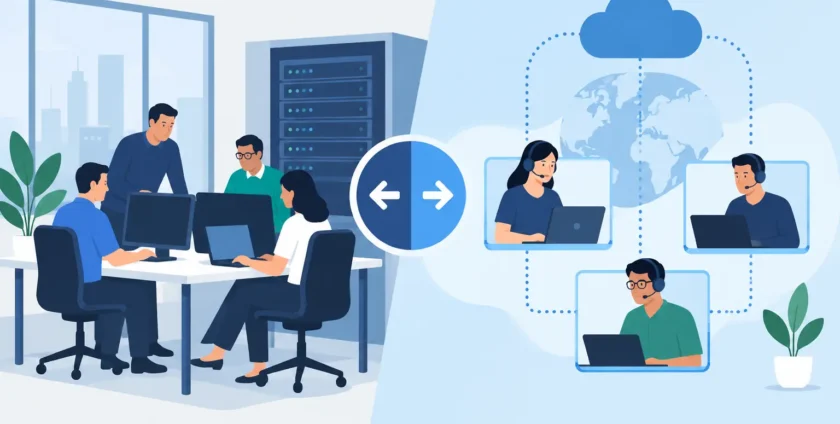
In-house IT means employing your own technology staff. They work within your business, understand your people and systems over time, and can be physically present when needed. This approach can work well for larger organisations with complex environments, frequent internal projects, and enough work to keep a dedicated team fully occupied.
Outsourced IT means engaging an external provider to manage all or part of your technology. Depending on the arrangement, this may include help desk support, cybersecurity, Microsoft 365 administration, backup monitoring, server management, device support, business continuity planning, and on-site visits.
Neither option is automatically better. The practical question is whether your business has the budget, workload, and risk profile to build the level of expertise it needs internally – and whether that expertise is available when problems arise.
What In-House IT Does Well
An internal IT person or team develops close knowledge of how your business operates. They know which applications are essential before 9 am, which staff need extra support, and which workarounds have built up over the years. For businesses running specialised software, custom systems, or a large number of locations, that familiarity can be valuable.
In-house staff are also available for day-to-day projects that may not fit neatly into a support ticket. They can sit with department managers, assist with office moves, set up new work areas, and help plan technology changes alongside the wider business.
For an enterprise with hundreds of employees, a large internal infrastructure, and constant technology demands, a dedicated IT department can provide real control. The business sets priorities directly and can allocate internal resources to long-term projects as required.
However, having an in-house team does not automatically mean every skill is covered. One IT manager may be excellent with users and devices but have limited experience in cybersecurity, cloud migration, medical systems, networking, or disaster recovery. Leave, illness, staff turnover, and after-hours incidents can also create gaps at exactly the wrong time.
Where In-House IT Can Become Expensive
The cost of internal IT is more than salary. There is superannuation, leave, recruitment, training, tools, licences, and the cost of covering absences. Finding and retaining experienced technology staff can be difficult, particularly for businesses that need a broad range of skills but only have enough work for one or two people.
There is also an opportunity cost. If your internal IT lead spends most of the week resetting passwords, fixing printer issues, and chasing software updates, they have less time to improve systems or reduce future risk. Important work such as backup testing, security reviews, documentation, and continuity planning is often pushed aside until an incident exposes the problem.
A single internal technician can become a single point of failure. If they are away when ransomware is detected, a server fails, or a key staff member cannot access files, the business may be left waiting for external help anyway.
What Outsourced IT Brings to the Table
Outsourced IT gives businesses access to a broader team without carrying the cost of building one from scratch. Instead of relying on one generalist, you can draw on technicians with experience across desktops, mobile devices, networks, cloud services, servers, cybersecurity, and business applications.
For many Melbourne businesses, the biggest benefit is coverage. A managed IT provider can monitor systems, respond remotely to everyday issues, and attend on-site when a problem requires hands-on support. This reduces the pressure on office managers and business owners to become accidental IT coordinators.
A good provider also brings established processes. Requests are logged, recurring issues can be identified, updates are managed, backups are checked, and security risks are addressed before they become major disruptions. The goal is not simply to close tickets. It is to keep the business operating with fewer interruptions.
Outsourced support is particularly useful when technology needs change quickly. Opening a new site, onboarding staff, moving to Microsoft 365, introducing new devices, or responding to a security incident may require skills that are not available within a small internal team. An external provider can scale support without a lengthy recruitment process.
The Trade-Offs of Outsourced Support
Outsourcing is not a licence to hand over responsibility without clear expectations. A provider needs time to learn your systems, business priorities, and critical applications. The quality of service will depend on communication, documentation, agreed response times, and whether the provider is prepared to take ownership when an issue crosses several systems.
Some businesses also need a regular on-site presence. A fully remote support model may be cost-effective, but it can be frustrating when hardware faults, cabling issues, workstation replacements, or reception-area problems need attention. For this reason, local support matters. A Melbourne-based team that can provide both remote assistance and on-site service gives businesses more practical options.
Price should be considered carefully as well. The cheapest provider may offer limited support hours, unclear inclusions, slow response times, or little proactive maintenance. Compare the service scope, not just the monthly figure. Ask what happens during a major outage, how after-hours issues are handled, and whether cyber protection and backup checks are included.
Healthcare Has Higher Stakes
Medical practices face a more demanding version of this decision. A technology failure can disrupt appointments, access to patient records, billing, imaging, communications, and clinical workflows. It can also place extra pressure on staff who are trying to care for patients while systems are unavailable.
An internal IT person who understands the practice can be useful, especially in larger clinics. But healthcare providers also need specialist knowledge that extends beyond general office support. This includes the interaction between practice software, devices, security controls, backups, user access, and continuity procedures.
For many practices, outsourced medical IT support provides a more realistic way to access that coverage. The provider should understand that downtime is not merely inconvenient. It affects patients, clinicians, reception staff, and the reputation of the practice. Fast response, clear communication, and a workable backup plan matter as much as technical skill.
A Hybrid Model Can Be the Sensible Middle Ground
The decision does not have to be all or nothing. Many established businesses keep an internal IT coordinator, systems manager, or technology lead while outsourcing specialist and support-heavy work. This can work particularly well where an internal staff member understands the organisation but does not need to carry every technical responsibility.
In a hybrid arrangement, the internal contact can manage priorities, projects, and staff communication. The outsourced team can provide help desk coverage, security monitoring, Microsoft 365 support, backup management, on-site assistance, and escalation for complex issues. It also provides cover when internal staff are on leave or tied up with strategic work.
This model avoids forcing one person to be an expert in every area. It also gives the business a clearer path for growth, because support can expand as staff numbers, sites, or systems increase.
How to Choose the Right Model
Start with the impact of downtime. Consider what happens if email, internet, phones, access to files, or your main business application is unavailable for an hour. If the answer involves lost revenue, delayed care, frustrated customers, or an idle team, dependable support is worth treating as a business essential.
Next, assess the breadth of your needs. A business with a few standard laptops and cloud applications may only need responsive managed support. An organisation with servers, multiple sites, industry-specific software, compliance requirements, and a growing team may need a more structured arrangement or a hybrid model.
Then look at availability. Who supports staff during holidays, sick leave, or a late-afternoon outage? Who checks backups, manages security updates, and investigates warning signs before they become visible problems? These are often the questions that reveal whether an internal role has enough capacity.
Finally, choose a partner that is clear about accountability. Onsite Technology Solutions supports businesses with practical remote and on-site assistance, helping keep devices, cloud services, security, and core systems working together. The most useful IT relationship should feel straightforward: you know who to call, what is covered, and that someone will take action.
The right choice is the one that lets your people focus on their work rather than the Wi-Fi, the printer, or the next unexpected login problem. Build support around the level of risk your business carries, and make sure help is available before a minor issue becomes a lost day.
- By:
- Category: Uncategorized
- 0 comment