
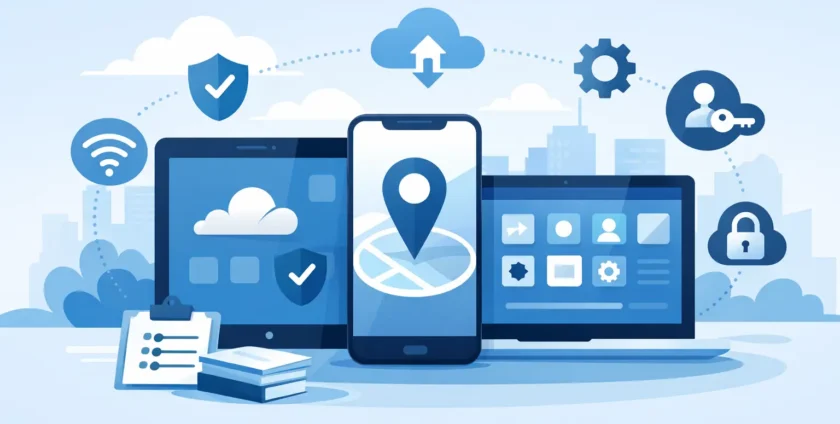
A staff member leaves their mobile in a taxi after checking email, opening client files and logging into Microsoft 365. That one moment can create a much bigger problem than the cost of replacing the device. Mobile device management for business helps prevent that kind of risk by giving organisations a practical way to secure devices, protect data and support staff without slowing everyone down.
For many businesses, mobiles and tablets are now part of day-to-day operations. They are used for email, calendars, file access, messaging, approvals, patient communication, job management and remote work. The convenience is obvious, but so is the exposure. If devices are not properly managed, one lost mobile, one outdated operating system or one weak passcode can become a security incident, a compliance issue or a serious interruption to work.
What mobile device management for business actually does
At its core, mobile device management for business gives your organisation central control over the mobile devices used for work. That usually includes company-owned mobiles and tablets, and in some cases personal devices that staff use for business tasks.
A good mobile device management setup lets IT teams apply security settings, enforce passcode rules, control access to business data, configure email accounts, install approved apps and remotely lock or wipe devices if needed. It also gives visibility. Instead of guessing which devices are in use, whether they are encrypted or whether they are overdue for updates, you can see what is happening and act quickly.
That matters most when your team is busy and spread across different locations. Without central management, every device becomes its own support issue. With it, businesses can reduce manual setup, respond faster when something goes wrong and keep users working with less disruption.
Why unmanaged mobiles create business risk
The risk with mobiles is not just theft or damage. It is the mix of business data, personal use, cloud access and mobile apps sitting on devices that move everywhere with your staff.
If an employee uses an unprotected mobile to access company email, customer records or internal systems, you are relying on that person to maintain the right settings, update the software and avoid unsafe behaviour. Sometimes that works. Often, it is inconsistent.
Common problems include devices with no screen lock, outdated operating systems, apps installed from untrusted sources, staff sharing files through personal apps and former employees still having access to company resources after they leave. In healthcare and other sectors handling sensitive information, the stakes are even higher. Protecting business data is one issue. Meeting privacy and operational requirements is another.
This is where mobile device management shifts from a nice extra to a practical business control. It gives you a way to set standards across the board instead of relying on best intentions.
The business benefits go beyond security
Security is usually the main reason businesses look at mobile device management, but it is not the only one. Well-managed devices are easier to deploy, easier to support and less likely to cause downtime.
When a new staff member starts, their mobile can be set up with the right apps, email settings and security policies far more quickly than doing it by hand. If someone changes roles, access can be adjusted without chasing settings across different devices. If a device is lost, replaced or damaged, the user can be back up and running faster.
There is also a support benefit that many businesses underestimate. Standardised devices are simpler to troubleshoot. If all staff are working from a known setup, IT support can fix issues faster and with fewer surprises. For small to mid-sized businesses, that can make a real difference to productivity.
BYOD or company-owned devices?
One of the first decisions is whether you are managing business-owned devices, bring your own device arrangements, or a mix of both. There is no single right answer. It depends on how your team works, what data they access and how much control your business needs.
Company-owned devices are generally easier to secure and support because the business has clearer authority over settings, apps and usage policies. They suit organisations that want consistency, stronger control and simpler offboarding.
BYOD can reduce hardware costs and may be more convenient for some staff, but it introduces complexity. People understandably want privacy on their personal devices, and businesses need to avoid crossing that line. The right setup needs to separate work data from personal data and make it clear what the business can and cannot see or manage.
For many organisations, the practical answer is a mixed model. Field staff may use company-owned devices, while office-based staff access email and calendars on personal mobiles under clearly defined policies. That can work well if the management platform is configured properly and expectations are documented.
What to look for in a mobile device management solution
Not every business needs the same level of control. A ten-person office will have different needs from a multi-site healthcare practice. Still, there are a few core capabilities that matter for most organisations.
The first is security policy enforcement. You should be able to require screen locks, encryption, approved operating system versions and multi-factor authentication where relevant. The second is device enrolment and configuration. New devices should be easy to set up without a lot of manual effort.
The third is app and access management. Businesses need to decide which apps are approved, how work accounts are configured and when access should be blocked. The fourth is remote action. If a device is lost or a staff member leaves, you need the option to lock it, remove business data or fully wipe it, depending on the device type and ownership model.
Reporting also matters. You should be able to see which devices are compliant, which are out of date and where support attention is needed. Without that visibility, a management platform becomes little more than an admin tool.
Mobile device management for business in healthcare and sensitive environments
For medical clinics, allied health providers and other organisations handling sensitive records, mobile device management becomes even more important. Staff often need quick access to calendars, secure messaging, cloud files and line-of-business systems while moving between rooms, sites or appointments.
That mobility helps with responsiveness, but it also increases the chance of devices being misplaced, shared incorrectly or used on unsecured networks. In these environments, even a small lapse can create operational and privacy concerns.
A practical mobile management approach can help enforce stricter access controls, reduce the use of unapproved apps and ensure devices accessing sensitive information meet defined standards. It also helps practices keep support manageable. When devices are centralised and configured consistently, troubleshooting is faster and less disruptive to patient care or front-desk operations.
Implementation works best when it is simple
One reason some businesses delay mobile management is the fear that it will be too technical or too restrictive. That can happen if the rollout is heavy-handed. In practice, the best results usually come from a measured approach.
Start with the devices that access your most important systems, such as Microsoft 365, client records, email and shared files. Set baseline protections first, including passcodes, encryption, approved updates and remote wipe capability. Then review app usage, access rules and BYOD requirements.
Staff communication is just as important as the technical setup. People need to understand what is changing, why it matters and how it affects their day-to-day work. If the process is clear and support is available, adoption is usually much smoother.
This is also where working with a hands-on IT partner can make a difference. Businesses do not just need software. They need someone who can assess their environment, configure the platform properly, support users and respond quickly when issues come up. For many Melbourne organisations, especially those without a large internal IT team, that practical support is what makes the system effective rather than frustrating.
Choosing a setup that fits your business
The right mobile device management approach should match the way your business actually operates. If your team is mostly office-based with occasional remote work, your priorities may be straightforward security and easy support. If your staff are mobile, spread across sites or handling sensitive information, your requirements will be tighter.
There are always trade-offs. More control can improve security, but it can also affect flexibility. A lighter-touch setup may be easier for staff, but it may leave gaps if devices are lost or unmanaged apps are in use. The goal is not to control every feature on every mobile. It is to protect business data, reduce avoidable risk and keep people productive.
That is why mobile management should be treated as part of your wider IT environment, not as a standalone tool. It works best when it aligns with your security policies, user support, Microsoft 365 setup, onboarding and offboarding processes, and continuity planning.
If your team relies on mobiles to get work done, managing them properly is no longer optional. A sensible, well-supported setup gives your business more than tighter security. It gives you fewer support headaches, clearer control and one less gap for problems to slip through.
- By:
- Category: Uncategorized
- 0 comment