
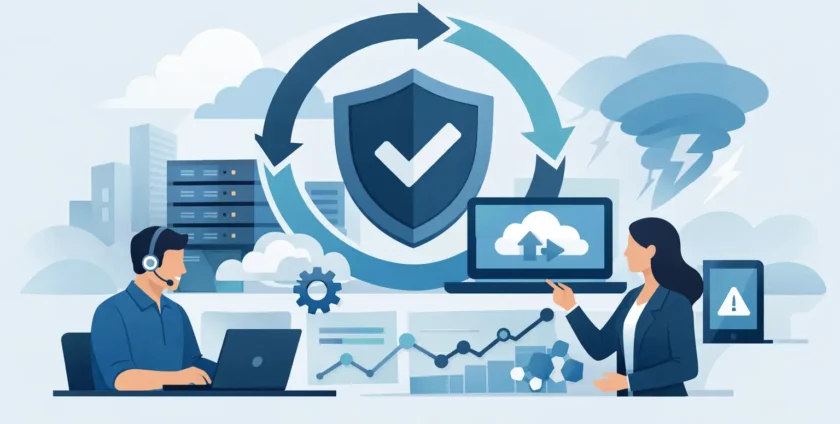
A server fails at 10:15 on a Monday. Reception cannot access bookings, staff cannot open shared files, and customers start feeling the delay almost immediately. That is the moment when business continuity IT services stop being a line item in a budget and start proving their value.
For small and mid-sized businesses, continuity is not about preparing for a once-in-a-decade disaster. It is about keeping your business running when ordinary problems hit – hardware faults, internet outages, ransomware, failed updates, accidental deletions, power issues, or a staff member working from the wrong version of a file. The businesses that recover fastest are usually the ones that planned for interruptions before they happened.
What business continuity IT services actually cover
Business continuity IT services are the systems, processes and support arrangements that help your business keep operating during a disruption. That can include backups, disaster recovery planning, cloud access, device support, cyber protection, Microsoft 365 continuity, server redundancy, remote access, and fast-response IT assistance.
The key point is that continuity is broader than backup. A backup helps you restore data. Continuity helps you keep people productive, protect customer service, and reduce the time it takes to get back to normal.
For example, if your office internet drops out, your backup files may still exist, but your team could still be stuck. If ransomware locks a shared drive, your data might be recoverable, but only if the recovery process is tested and your staff know what to do next. If a practice management system goes offline in a medical setting, the issue is not only technical. It affects appointments, patient communication, billing and day-to-day care.
Why downtime costs more than most businesses expect
Most business owners think about downtime in terms of lost access to systems. The real cost is usually wider than that. Productivity drops first, then service levels, then customer confidence. If the outage drags on, internal stress rises quickly because staff start creating workarounds that create more risk.
A one-hour issue can turn into a full day of disruption if there is no clear recovery path. Files may need to be restored. Devices may need to be reconfigured. Cloud access may need to be verified. Security checks may be required before systems can safely come back online.
For healthcare providers, the stakes are higher again. Delays in accessing clinical systems, appointment records or communication tools can affect patient experience and put extra pressure on already busy teams. That is why continuity planning in medical IT needs to consider both technical recovery and operational flow.
The difference between backup and real continuity planning
This is where many businesses get caught out. They have backups and assume they are covered. Sometimes they are. Often they are only partly covered.
A backup is one part of the picture. Real continuity planning asks harder questions. How quickly can you restore? Who is responsible for triggering recovery? Can staff work remotely if the office is unavailable? Are backups stored in a way that ransomware cannot easily compromise them? Have recovery steps been tested recently, not just documented years ago?
It also depends on what your business can tolerate. A bookkeeping firm might manage with a few hours of disruption if data is safe. A medical clinic, logistics business or customer service team may need systems restored much faster. The right continuity plan is not the one with the most features. It is the one matched to how your business actually operates.
What good business continuity IT services look like in practice
Good continuity support is practical, not theoretical. It starts with understanding which systems matter most. For one business, that might be Microsoft 365, email and shared documents. For another, it could be line-of-business software, phones, remote access and cloud-hosted applications.
From there, the focus should move to resilience. That means reliable backups, monitored infrastructure, secure remote access, patching, malware protection, user support and a clear path for restoring services when something goes wrong. The goal is not to eliminate every risk. No provider can promise that. The goal is to reduce the chance of disruption and limit the damage when an issue does happen.
Fast support matters as much as the technology itself. A backup platform is only useful if someone is available to respond when recovery is needed. Businesses often learn this the hard way when an incident happens after hours or during a busy period and they are left waiting in a queue.
That is why many organisations prefer a managed IT partner that can handle both remote and on-site support. Some problems can be fixed quickly from a distance. Others need hands-on work with networking gear, servers, workstations or local infrastructure.
Common weak spots that put continuity at risk
In most offices, the biggest continuity risks are not dramatic. They are the small gaps that build up over time.
Unmonitored backups are one example. Backups may be scheduled, but nobody checks whether they completed successfully. Unsupported hardware is another. An ageing server or firewall may keep running until the day it does not. Single points of failure are also common, especially where one internet service, one staff member, or one device carries too much operational weight.
User access can create problems too. If former staff accounts remain active, or permissions are poorly managed, security incidents become more likely. Even simple issues like inconsistent file storage can slow recovery because teams do not know where the latest version of key information is kept.
These are not glamorous fixes, but they matter. Continuity is often built through disciplined maintenance rather than big-ticket spending.
How to choose the right provider
If you are looking at business continuity IT services, ask practical questions rather than broad ones. Ask how quickly support is available, how backups are monitored, how often recovery is tested, and what happens if your main systems fail during business hours. Ask whether the provider supports cloud services, desktops, servers, mobiles and core applications as one environment rather than in separate silos.
It also helps to choose a provider that understands your industry. Healthcare is a good example. Medical practices usually need more than general IT support. They need continuity planning that reflects the pressure of appointment schedules, patient records, communications and compliance expectations.
Local support can be a real advantage here. When your systems are down, you do not want to explain your setup to a different person every time you call. A Melbourne-based team that already knows your environment can usually act faster and with less back-and-forth. That is part of why businesses work with providers like Onsite Technology Solutions – not just for technical coverage, but for responsive support that takes ownership when things go wrong.
Continuity planning should fit the size of your business
There is no single continuity model that suits everyone. A 10-person office does not need the same setup as a multi-site healthcare group. Smaller businesses often need straightforward protection that covers email, file access, cyber security and fast recovery. Larger organisations may need layered systems, more detailed failover planning and tighter control across multiple locations.
The mistake is assuming continuity is only for larger businesses. Smaller teams often feel downtime more sharply because there is less spare capacity to absorb disruption. If two or three key staff are unable to work, operations can stall quickly.
A sensible approach is to start with the essentials, then build. Identify critical systems, review recovery priorities, secure backups, strengthen endpoint protection and make sure your support arrangement includes a clear response path. From there, improvements can be staged over time.
Why continuity is an everyday service, not an emergency-only plan
The best continuity outcomes usually come from steady, ongoing IT management. Systems are patched. Backups are checked. Devices are supported. Security alerts are reviewed. Staff get help before small issues grow into larger ones.
That matters because many disruptions are preventable, or at least easier to contain, when your environment is properly maintained. Business continuity is not just what happens after a failure. It is also the day-to-day work that lowers the chance of failure in the first place.
If your business relies on technology to serve customers, manage bookings, process payments, access records or keep staff connected, continuity is part of normal operations. It should feel like a practical support function, not a once-a-year document sitting in a folder.
A good continuity setup gives you something every business owner wants – fewer surprises, faster recovery and confidence that if something breaks, work does not have to stop for long. That peace of mind is worth far more than the cost of scrambling after an outage has already done the damage.
- By:
- Category: Uncategorized
- 0 comment